
Account takeover happens when a criminal logs in as one of your people and uses that access to move money, read mail or reach your data. You prevent it with layers, not a single tool: multi-factor authentication on every account that matters, unique passwords, locked-down email, tight payment approvals, fast offboarding and staff who know what a trap looks like. Those layers need someone to set them up and keep them current, which is why a small business without an in-house IT team is better served by a dedicated IT partner like Techbleed than by a one-time checklist.
TL;DR
- Attackers rarely break in. They log in with a password stolen from a breach, a phishing page or malware on a work computer.
- Turn on multi-factor authentication (MFA) for email first, then banking, payroll and cloud apps, and add controls for the ways attackers get around it.
- Lock down email forwarding rules, old mail protocols and admin rights, since a taken-over mailbox is the usual launch point for payment fraud.
- Reconcile bank activity daily and require a second person to approve payments and changes to payee details.
- If you suspect a takeover, disconnect the device, call your bank, reset credentials and file at ic3.gov. Speed matters more than certainty.
Table of Contents
- What account takeover is and how attackers get in
- Why small and mid-sized businesses are targeted
- Eight controls that stop most takeovers
- A quick way to decide where to start
- Warning signs that an account may be taken over
- What to do in the first hour
- Why this works better with a dedicated IT partner
- How Techbleed helps you prevent account takeover
- Our perspective
- FAQ
- Sources
What account takeover is and how attackers get in
The FBI’s Internet Crime Complaint Center (IC3) defines account takeover fraud as criminals deliberately gaining unauthorized access to an online bank, payroll, health savings or social media account to steal money or information. It lists the usual routes: brute-forcing weak passwords, phishing emails, fake phishing websites, social engineering, credentials from data breaches, and malware on the victim’s device.
In plain terms, there are four doors:
- Reused passwords. An employee uses the same password for a streaming service and for Microsoft 365. The streaming service is breached, and the Federal Reserve’s payments-improvement arm warns that stolen personal-breach credentials often include passwords employees reuse for business logins.
- Phishing. A convincing email or fake sign-in page captures the login. Our guide to preventing phishing attacks covers how these messages are built.
- Social engineering by phone or message. The same Federal Reserve document notes that phone spoofing is used to pose as a bank representative and create urgency.
- Malware. A infected computer hands over saved passwords and active sessions without anyone typing anything.
The Federal Reserve document also describes a tactic called MFA fatigue: attackers trigger dozens or even hundreds of approval requests until a worn-out employee taps “Yes.” That detail matters later, because it shows why turning on MFA is the start of the work, not the end of it.
Why small and mid-sized businesses are targeted
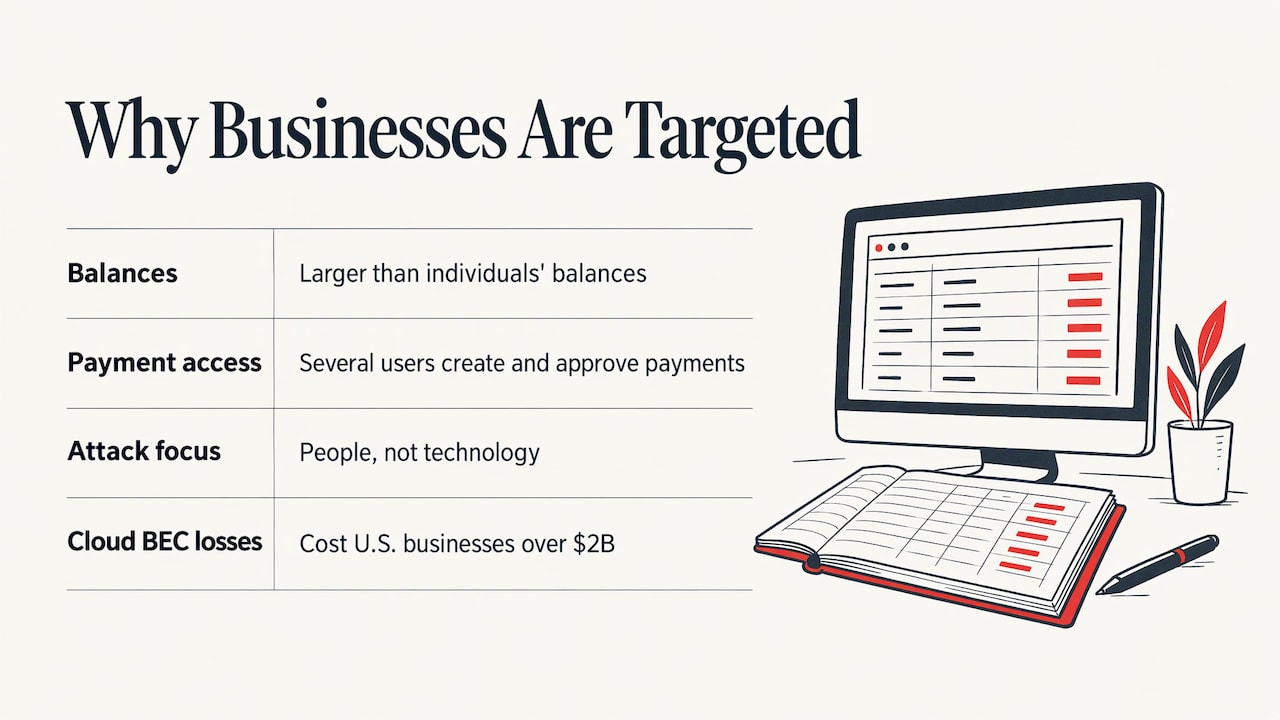
The Federal Reserve explains that businesses make attractive targets because they hold larger balances than individuals and authorize several users to create and approve payments, which gives attackers more ways in. It adds that criminals focus on hacking the person rather than the technology.
Once inside, the damage is financial and fast. Attackers can start wire transfers or ACH payments that are routed through multiple accounts or converted to digital assets, which makes recovery extremely difficult, according to the same source. The IC3 reported in an April 2020 announcement that business email compromise through cloud-based email services had cost U.S. businesses more than $2 billion.
For a law firm, the exposure is wider than money. A taken-over mailbox can expose client communications and privileged documents. For a growing company, one compromised account in finance or HR can touch payroll, vendors and customer records. Where trust, money and access meet, that is where to put your first controls.
Eight controls that stop most takeovers
No single measure does the job. NACHA, the body that governs the ACH network, states in its sound business practices that no single security measure is likely to prevent or mitigate all account takeover risk. The controls below work together.
1. Turn on MFA for email, banking, payroll and cloud apps
MFA asks for a second proof of identity, such as a code or an app approval, in addition to the password. The IC3 recommends enabling MFA for all email accounts. Start there, because email is the master key: password resets for almost every other service land in the inbox.
Where it goes wrong: leaving MFA optional, leaving exceptions for “just the owner,” or relying on text-message codes when an app-based approval is available. Also set a rule that nobody approves a sign-in prompt they did not start. A surprise prompt means someone has the password, and it should be reported right away.
2. Make every password unique
A password reused across personal and work accounts turns any outside breach into your breach. Require long, unique passwords for every business login, and give staff a company-approved password manager so that unique does not mean memorized. NACHA also lists requiring strong, regularly changed passwords for computer and online banking access among its sound practices.
3. Lock down email settings
The IC3’s business email compromise guidance gives a concrete list of settings. It recommends:
- prohibiting automatic forwarding of email to external addresses;
- adding banners to messages that come from outside the company;
- prohibiting legacy email protocols such as POP, IMAP and SMTP, which can bypass MFA;
- logging mailbox setting changes for at least 90 days;
- enabling alerts for suspicious activity such as logins from foreign locations;
- configuring SPF, DKIM and DMARC, three email authentication standards that make it harder for criminals to spoof your domain.
All of these appear in the IC3 announcement. They are administrative settings in your email platform, and they are easy to get half right. Our article on business email compromise explains how a hidden forwarding rule lets an attacker watch your payment conversations for weeks.
4. Remove everyday administrator rights
NACHA points out that many small and mid-sized businesses let every employee act as a network administrator, and that most malware needs those rights to install credential-stealing programs. Its advice is to set up a user account for each computer with limited administrative rights. Give people the access their job needs and nothing more, and keep a separate admin account for the few who manage systems.
5. Put two people on every payment
The California Department of Financial Protection and Innovation (DFPI) publishes best practices for corporate account takeover that stress employee awareness, since employees are the first and last line of defense. For money movement, that translates into three habits:
- one person creates a payment, a second approves it;
- any change to a vendor’s bank details is confirmed by calling a known number, never one in the email that announced the change;
- payment limits are set with your bank for ACH and wire initiation, which NACHA lists among its practices.
The IC3 likewise advises verifying payment changes in person or by a known phone number.
6. Dedicate a clean computer to banking
NACHA’s guidance and bank training material both favor limiting the machine used for online banking to that purpose, with current security software. A computer that is also used for web browsing and downloads is the one most likely to catch credential-stealing malware.
7. Remove access the day people leave
NACHA recommends promptly deactivating access for employees who are transferred or terminated. A former employee’s still-active login is an open door, and so is a shared password nobody changed after they left. Our employee IT offboarding checklist lists what to shut off, in order.
8. Train people on the specific traps
General awareness posters do little. Train staff on the situations that actually cost money: a vendor emailing new bank details, an urgent request from “the CEO,” a bank “fraud department” call asking for a code, and a flood of MFA prompts. The DFPI adds a subtle point for anyone who handles ACH and wire transactions: complaints from customers that they cannot reach their account may be a diversion while a theft is in progress. Run short refreshers more than once a year, and make reporting a suspicious message a thing people are thanked for, not scolded for.
A quick way to decide where to start
If you cannot do everything this month, rank by exposure:
| Priority | Account or workflow | First control |
|---|---|---|
| 1 | Email for owners, finance and executives | MFA, forwarding block, alerts |
| 2 | Online banking, payroll and payment platforms | MFA, dual approval, bank limits |
| 3 | Microsoft 365 or Google Workspace admin accounts | Separate admin accounts, MFA |
| 4 | Shared apps and client-facing accounts | Unique passwords, access reviews |
| 5 | Former employees and old vendors | Same-day deactivation |
This follows a simple principle: put the strongest protection where money, trust and access overlap.
Warning signs that an account may be taken over
The DFPI’s guidance lists red flags that business owners and bookkeepers can check without technical skills:
- new user accounts you did not create;
- new ACH batches or wire templates with payees you do not recognize;
- changes to personal information, or notifications that were turned off or changed;
- logins from unfamiliar or foreign IP addresses, unrecognized devices, or at odd hours;
- unusually small test transactions;
- changes to the account and routing numbers of existing payees.
The IC3 adds computer symptoms: dramatic loss of speed, unexpected reboots, unexpected one-time-password requests in the middle of a session, unusual pop-ups, and new or unexpected toolbars or icons. It also tells businesses to monitor and reconcile accounts at least once a day, and the DFPI recommends reviewing transaction security reports for unusual volume and dollar amounts at least daily.
Our separate article on the signs your business has been hacked goes through the broader symptoms.
What to do in the first hour
Write this down before you need it. The IC3’s corporate account takeover guidance tells businesses to:
- Disconnect the affected computer from the network.
- Contact your financial institution immediately to disable online access.
- Change passwords, and open new accounts where the bank advises it.
- Review and cancel suspicious transactions, and check that no new payees, user accounts or contact details were added.
- Keep a written chronology of the incident and the losses.
- File a police report, which gives you a report number for insurance claims.
- File a complaint at ic3.gov, and for substantial losses contact the local FBI field office or the U.S. Secret Service.
All of this is in the IC3 guidance. The reason to move quickly is that funds sent through multiple accounts become very hard to recover once they have moved.
The DFPI also recommends an incident response plan for corporate account takeover, reviewed at least annually, with a designated fraud response committee, backup personnel and law-enforcement contacts. For a ten-person office, that committee can be three people and one page: who calls the bank, who resets accounts, who talks to your IT provider. If the incident involves ransomware or damaged systems, see our overview of ransomware recovery services.
Why this works better with a dedicated IT partner
Every control above is simple to describe and tedious to keep right. MFA exceptions creep in. A forwarding rule gets added and nobody sees it. An employee leaves and one login survives. Phishing kits change. A small company rarely has someone whose job is to check all this weekly, and a part-time “IT person” is usually busy with printers and password resets.
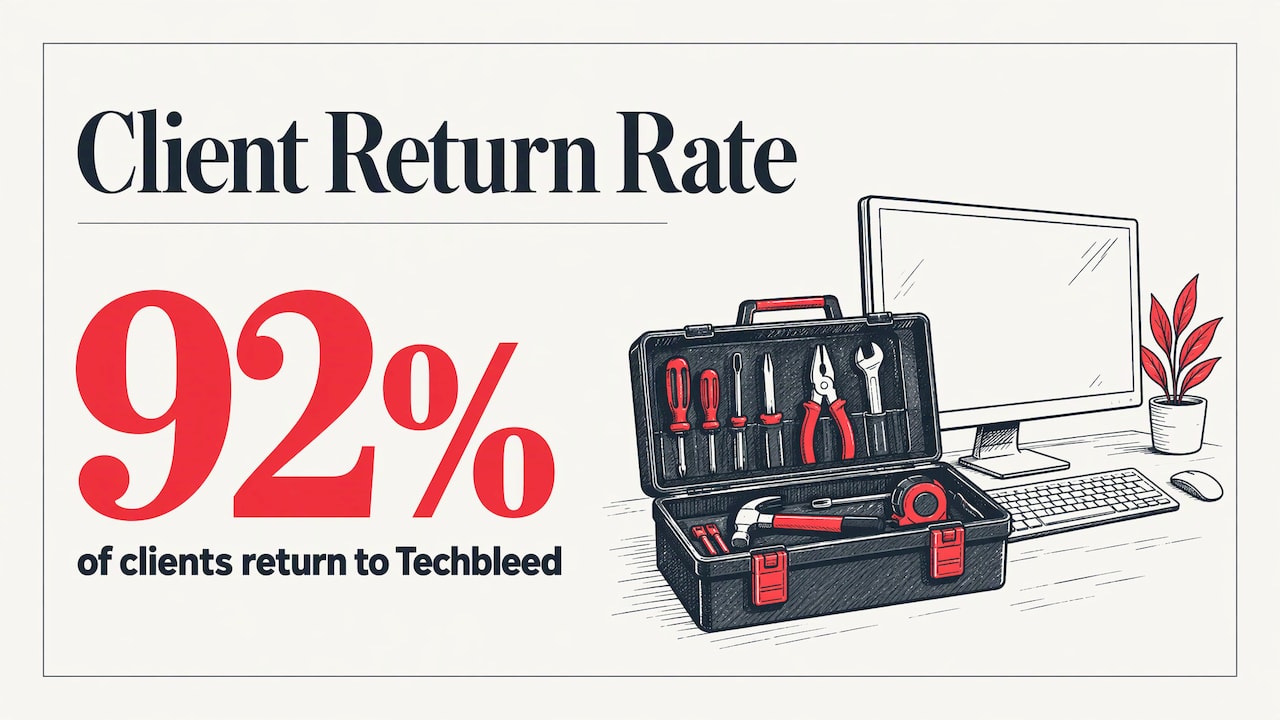
That gap is the argument for outsourcing the work to a team that treats it as routine. At Techbleed, businesses in Glendale and the Greater Los Angeles area get a dedicated point of contact, proactive support and cybersecurity services without hiring an in-house IT department. Our clients stay: we have a 92% return client rate.
How Techbleed helps you prevent account takeover
We provide managed IT support, cybersecurity services, cloud computing including Microsoft 365 and Google Workspace, and business continuity for small and mid-sized businesses and law firms. If you want account protection handled as part of day-to-day IT, start with our managed IT services, which come in Essentials, Business and Secure plans you can compare on our plans page.

Law firms with client confidentiality duties can also see our law firm cybersecurity checklist. To talk through your own accounts, reach us through techbleed.com.
Our perspective
Most takeovers we would worry about are not clever. They are a reused password, a missing second factor, an old account nobody closed, or a payment change nobody verified. The attacker only needs one of them.
That is why we think of account protection as a habit rather than a project. Settings drift, people join and leave, and the tricks change. A business gets the most from a single named contact who knows its staff, its banking workflow and its cloud accounts, and who reviews them on a regular rhythm instead of after an incident.
We build our approach around prevention, hands-on support and clear planning, so that a Glendale office manager or law firm partner is never left guessing who to call when a strange sign-in prompt appears. If your accounts are the front door to your money and your clients’ trust, they deserve an owner.
John
FAQ
Does MFA fully prevent account takeover?
No single control does, which is the point NACHA makes about security measures in general. MFA stops many attacks that rely on a stolen password alone, but attackers also use approval-request flooding, phone impersonation and malware. Pair MFA with unique passwords, email settings, limited admin rights and payment verification.
What is the first account to protect?
Email, especially for owners, finance staff and executives. Password resets and payment conversations run through the inbox, so a takeover there often leads to the rest. The IC3 recommends MFA on all email accounts and blocking automatic external forwarding.
How is account takeover different from business email compromise?
Account takeover means the criminal controls a real account. Business email compromise is a fraud that often uses that control, or a spoofed lookalike address, to redirect payments. Taking over a mailbox is one common way to carry it out. Our guide to business email compromise walks through typical scenarios.
How often should we review account access?
Check bank and payment activity daily, as the IC3 and DFPI advise. Review user lists and admin rights on a regular schedule and every time someone joins, changes roles or leaves. Review your incident response plan at least once a year.
What should we do if an employee clicked a phishing link?
Treat it as a possible takeover. Disconnect the device, reset the employee’s password, end active sessions, check for new forwarding rules or payees, and call your bank if money workflows were touched. Then notify your IT provider so the cause is closed, not just the symptom.
Sources
- IC3: Account Takeover Fraud
- Federal Reserve Financial Services: How Business Accounts May Be Targeted for Account Takeover
- IC3 Public Service Announcement, April 2020
- NACHA: Sound Business Practices for Businesses
- California DFPI: Best Practices for Reducing the Risk of Corporate Account Takeovers
- IC3: Corporate Account Takeover guidance
Recommended
- Phishing and Whaling Attacks: How Businesses Can Prevent Costly Cyber Scams
- Signs Your Business Has Been Hacked
- Business Email Compromise: Stop Fake Payment Emails
- Employee Cybersecurity Training: What to Cover and How Often