
The best IT support for a small Los Angeles business is a managed model: one provider that monitors your systems, secures them, backs them up and answers your team’s calls, so you do not need a full in-house IT department. It works when the provider knows your business and gives you a single person to call. That is how we run it at Techbleed, serving small and mid-sized businesses in Glendale and across Greater Los Angeles through a managed IT services agreement with a dedicated point of contact.
This guide covers what the support includes, what it costs per user, which contract terms to check, and what law firms and growing companies should ask for.
TL;DR
- Managed IT support replaces break-fix calls with monitoring, patching, security, backups and a help desk under one monthly agreement.
- One published market range for small teams is roughly $150 to $250 per user per month, depending on the security and backup layers you include.
- Check response times in writing: acknowledgment and resolution are different promises, and “after-hours emergency” needs a definition.
- Law firms and growing companies should prioritize security, backup recovery and a provider who plans ahead with them.
- Techbleed offers three plans, Essentials, Business and Secure, each with a dedicated point of contact.
Table of Contents
- What small business IT support in Los Angeles includes
- Why the managed model suits Los Angeles businesses
- What small business IT support costs in Los Angeles
- The contract terms that matter
- Cybersecurity is part of IT support now
- Backups, downtime and business continuity
- What law firms should look for
- What growing companies should look for
- How to choose a provider
- Our perspective
- Working with Techbleed
- FAQ
- Sources
What small business IT support in Los Angeles includes
IT support means different things depending on who sells it. At one end is a technician who arrives when something breaks. At the other is a managed service provider (MSP), a company that takes over the day-to-day running of your technology for a recurring fee.
A small business typically needs these pieces:
- Help desk and remote support. Your staff reach a person when email, a printer, a laptop or a login fails.
- Monitoring and patching. Software on your computers and network is watched and updated before a flaw or failure causes trouble.
- Cybersecurity. Endpoint protection, email filtering, user training and ransomware defense.
- Backup and disaster recovery. Copies of your data that can actually be restored, plus a plan for how fast.
- Cloud and productivity tools. Microsoft 365, Google Workspace, virtual desktops and servers.
- Phones and communications. VoIP, messaging and video that work with your network.
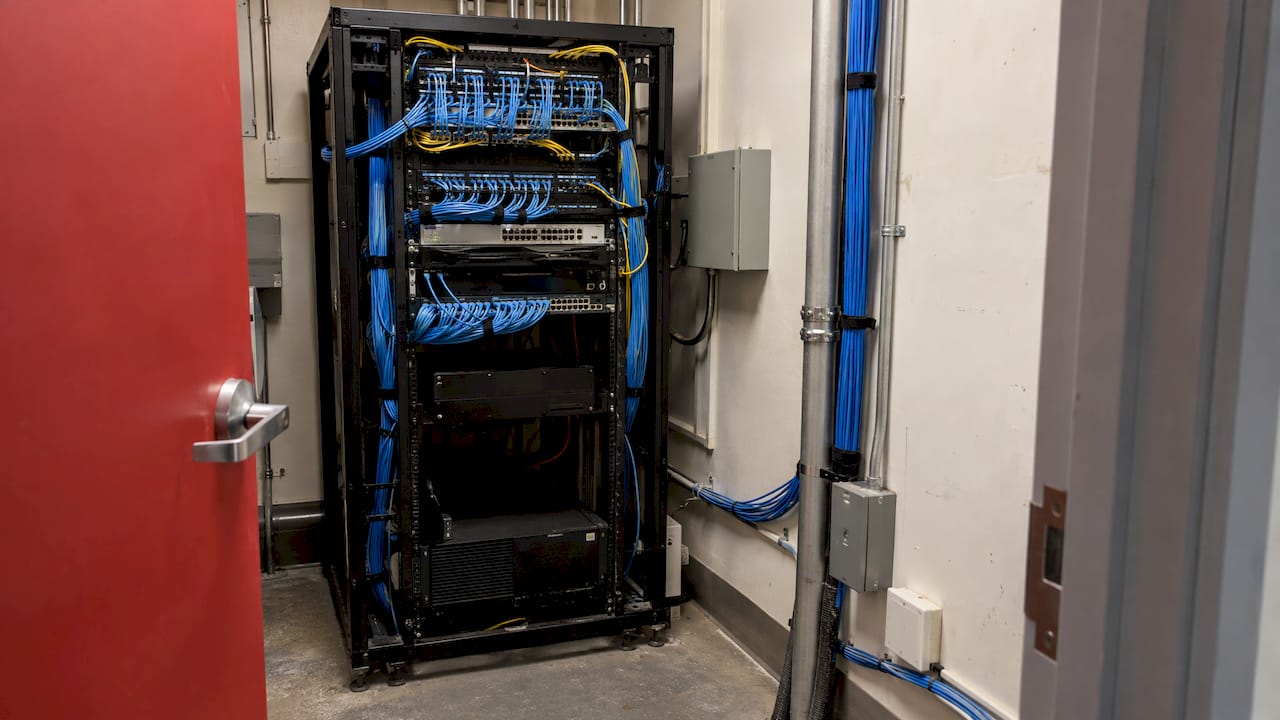
- Network and infrastructure. Wi-Fi, switches, cabling, firewalls and the equipment closets that hold them.
Sage’s small-business guide describes outsourced IT support as a third party handling remote support, help desk, patching, endpoint security, backups and recovery, network monitoring, email security and cloud administration. It also separates three models: fully in-house, fully outsourced, and co-managed, where one internal person sets direction while the provider handles tickets, monitoring and security baselines.
For most offices under 50 people, fully outsourced or co-managed is the realistic choice. A single hire cannot cover security, help desk, vacations and strategy at once. A provider brings a bench of skills and keeps working when one person is out.
Why the managed model suits Los Angeles businesses
Los Angeles businesses are spread out. A design studio in Downtown, a law office in Glendale or Century City, a clinic in the Valley and a distribution team near the ports have little in common except one thing: when systems stop, the day stops. Payroll, billable hours and customer orders keep running on technology whether or not anyone is employed to look after it.
The managed approach is built around preventing that. Instead of paying for each emergency, you pay a predictable monthly amount and the provider’s incentive shifts toward fewer incidents. Proactive monitoring catches a failing drive, an expiring certificate or an unpatched server before it becomes an outage.
Proximity matters too. When a switch dies or an office moves, someone has to show up. A provider based in Greater Los Angeles can handle remote fixes quickly and still be on site for the physical work, such as cabling, racks and risers in older multi-tenant buildings. We cover that physical side under network infrastructure services and IT infrastructure solutions.
What small business IT support costs in Los Angeles
Most managed providers price per user per month, sometimes with a separate fee for onboarding. A September 2026 procurement guide from IMD puts the per-user market for small teams at roughly $150 to $250 per user per month. It breaks that into layers:
| Layer | Typical monthly cost per user |
|---|---|
| Core managed services (help desk, monitoring, patching) | $80 to $150 |
| Security stack (endpoint detection, email security, DNS filtering, monitoring) | $25 to $60 |
| Backup | $15 to $40 |
| Virtual CIO and quarterly reviews | $10 to $25 |
The same guide lists one-time onboarding projects at $1,500 to $5,000. These are market figures for small agencies from one guide, published in 2026, not a quote for any specific provider. Your own number depends on several things:
- Headcount and devices. More users and more endpoints mean a higher monthly total.
- Security depth. A business holding client files, health records or financial data needs more than basic antivirus.
- Compliance needs. Legal, medical and financial firms carry extra obligations that add work.
- Backup scope. Recovery speed and retention length change the price.
- Starting condition. An aging network or unmanaged devices cost more to bring up to standard.
- Extras. Phones, cloud migration, custom software and on-site infrastructure work.
Techbleed does not publish prices. Our plans, Essentials, Business and Secure, are laid out on the managed IT pricing page, and the right one depends on how many people you have and how much security and continuity you need. A conversation about your setup gets you a proper quote rather than a guess.
The contract terms that matter
Two providers can quote the same monthly figure and deliver very different support. The difference sits in the service-level agreement (SLA), the part of the contract that states how fast the provider responds and what it commits to.
IMD’s selection guide gives a useful example of how a well-written SLA is structured. It separates acknowledgment, when someone confirms they have your ticket, from resolution, when the problem is fixed. In its sample tiers, a critical incident is acknowledged within 15 minutes with a 4-hour target, while a low-priority request waits until the next business day. The same guide notes that “after-hours emergency” is one of the most disputed clauses in small-business contracts, so it should be defined in writing.
Before you sign any agreement, confirm these points:
- Hours of coverage. Are they business hours only, or do emergencies get after-hours attention? What counts as an emergency?
- Response and resolution targets. Are they separate, and are they written into the contract?
- What is included. Are onsite visits, new-hire setup, project work and hardware covered or billed separately?
- Security scope. Which protections are part of the monthly fee?
- Backup and recovery. Who tests restores, how often, and how quickly can you be running again?
- Reporting. Will you get regular reviews and a clear account of incidents?
- Exit terms. Who owns your passwords, documentation and data if you leave?
- Single point of contact. Do you know who to call, and will they know your setup?
That last point is where small businesses feel the difference day to day. A rotating queue of strangers asks you to re-explain your network every time. A dedicated contact already knows your offices, your software and your people.
Cybersecurity is part of IT support now
For a small business, security is no longer a separate purchase. Email, file sharing, remote work and cloud tools are all entry points, and attackers go after smaller companies because they often have fewer defenses. A ransomware attack hurts most through the days your staff cannot work, not through the ransom alone.
A sound baseline for a small Los Angeles business includes:
- Multi-factor authentication on email and cloud accounts
- Endpoint protection on every computer, with a way to isolate an infected machine
- Email filtering that blocks phishing and malicious attachments
- Regular, tested backups kept apart from your main network
- Prompt patching of operating systems and applications
- Security awareness training so staff recognize suspicious messages
- A written plan for what happens when something goes wrong
Planning and contracting for protection follows the same logic whether you are protecting systems or premises: define the risks, set the scope in writing and require regular reporting. This overview of business security planning and contracts walks through that approach for physical security.
We build this into our cybersecurity services, including ransomware protection, security awareness training and risk assessments. If you want to understand what recovery looks like after an attack, our article on ransomware recovery services explains what they do and how to prepare.
Backups, downtime and business continuity
Backups are the part of IT nobody thinks about until the day they matter. A backup you have never restored is a hope, not a safeguard. Continuity goes further: it asks how long your business can be down, what it costs per hour, and what has to come back first.
A practical continuity plan answers four questions:
- Which systems and data do we need to operate, in what order?
- How much recent work can we afford to lose?
- How long can we be offline before the damage becomes serious?
- What do people do in the meantime, and who decides?
In Southern California there are also local risks to plan around: power interruptions, heat waves, earthquakes and building outages. Our business continuity work covers backup and disaster recovery, continuity planning, internet failover and power protection, so a lost connection or a power dip does not stop your office. You can read more on backup and disaster recovery and continuity planning.
What law firms should look for
A law firm holds privileged client information, so its IT has to do two jobs: keep the office productive and keep confidential material confidential. That shapes what to ask for.
- Access controls. Staff see only the matters they work on, and accounts are removed promptly when people leave.
- Encryption and secure sharing. Documents move to clients and co-counsel without relying on ordinary email attachments.
- Email protection. Wire-fraud and impersonation attempts are common against firms, so filtering and training matter.
- Reliable backup. Case files and billing data must be restorable quickly.
- Secure remote work. Attorneys work from courts, homes and client offices.
- Documentation. You should be able to show what protections are in place if a client asks.
The point is to treat IT as part of how the firm protects client confidences. Talk to your own counsel or your bar’s ethics resources about the specific duties that apply to your practice. Our Secure plan and security services are aimed at organizations that need this level of protection.
What growing companies should look for
Growth stresses IT in predictable ways. New hires need laptops and accounts on day one. A second office needs networking and phones. Customers begin asking about your security. The setup that worked for six people strains at twenty-five.
Look for a provider that can:
- Onboard and offboard users quickly and consistently
- Move you to cloud tools such as Microsoft 365 or Google Workspace, with virtual desktops or servers where useful
- Connect phones, messaging and video with your network
- Plan ahead with you, not just react to tickets
- Build custom software or integrations when off-the-shelf tools fall short
If you are choosing between fully outsourced and co-managed, Sage’s guide describes co-managed as keeping an internal person in charge of direction while the provider handles the routine work. Many growing firms start outsourced and move toward that blend. Our cloud computing services and Microsoft 365 support cover the tools most teams run on.
How to choose a provider
Use a simple process:
- List what you depend on. Software, devices, locations, compliance obligations and the cost of an hour of downtime.
- Decide what you want handled. Day-to-day support, security, backup, phones, projects.
- Ask each provider the same questions. Response times, coverage hours, who you talk to, what is included.
- Ask how they plan ahead. IMD’s guide suggests asking for a recent anonymized incident report showing root cause, timeline, impact, fix and prevention, since the format reveals how a provider really operates.
- Compare scope, not just price. A lower fee that excludes security or backup is not lower once you add them.
- Read the exit terms. You should always keep access to your own data and credentials.
Our perspective
Most small businesses do not call us because they want technology. They call because something stopped working and nobody on the team had the time or training to fix it. Our answer is to take the weight off: one dedicated point of contact who knows your setup, solutions fitted to how you work, and proactive attention so problems are prevented, not just repaired.
We do not think a business of 10 or 60 people should need its own IT department to get dependable systems, sound security and a plan for bad days. That is why we combine everyday support, cybersecurity and business continuity in one relationship. Our clients return, and a 92% return client rate is the result we care about most.
If you are weighing options, judge a provider by what it prevents and how clearly it plans with you, not only how fast it answers when something breaks.
John
Working with Techbleed
We are based in Glendale and support small and mid-sized businesses across Greater Los Angeles. Our managed IT services cover day-to-day support, cybersecurity, cloud, communications and business continuity, with a dedicated point of contact and plans built around your business. Start with the managed IT pricing page to see how Essentials, Business and Secure differ, or go to our IT support services page for the help desk side.
To talk through your setup, reach us through techbleed.com.
FAQ
How much does IT support cost for a small business in Los Angeles?
One 2026 procurement guide puts the market for small teams at about $150 to $250 per user per month, with onboarding projects of $1,500 to $5,000. Your price depends on headcount, security needs and what is included. Techbleed does not publish prices, so contact us for a quote based on your setup.
Do I need IT support if I only have a few employees?
Yes, if your work depends on email, files, cloud tools or client data. Small teams have the same exposure to phishing, failed devices and lost data as larger ones, with nobody assigned to deal with it. A managed plan gives you that coverage without a hire.
What is the difference between managed IT and break-fix support?
Break-fix means you pay when something breaks. Managed IT is a recurring agreement where the provider monitors, patches and secures your systems to prevent problems, and supports your staff when they occur. The second gives you predictable costs and fewer interruptions.
What should a law firm ask an IT provider?
Ask how client data is protected, who can access which files, how email and document sharing are secured, how fast backups can be restored, and how departing staff are removed. For the ethical duties that apply to your practice, consult your bar’s ethics guidance.
Can I keep my own IT person and still use a provider?
Yes. That is the co-managed model: your internal person drives priorities while the provider handles routine tickets, monitoring and security. It suits growing companies that want a provider’s depth alongside someone who knows the business.
Sources
- Managed IT Services: Selection Guide for Small Agencies
- What Is Support Outsourcing in IT? Small-Business Guide
- Business Security Services: How to Plan, Contract and Manage
Recommended
- Best IT Support in Glendale, CA (2026): Costs & Checklist
- IT Support in Glendale, CA | Help Desk & On-Site Support