
An IT company helps a business plan, implement, support, secure, and improve the technology required for daily operations. Depending on the provider and agreement, its work may include employee support, device management, network infrastructure, cloud platforms, cybersecurity, backup systems, vendor coordination, and technology planning.
However, not every IT company provides the same services or accepts the same level of responsibility. Some focus on individual repairs or technical projects. Others provide ongoing management or work alongside an internal IT team.
Understanding what an IT company does can help business owners identify which technology responsibilities need an external specialist, which should remain internal, and which service model is appropriate.
Businesses evaluating local providers can also review Techbleed’s IT services in Glendale and the different technology areas they may include.
What Is an IT Company?
An IT company is an external organization that provides technical services to businesses or other organizations.
Its responsibilities may involve computers, servers, networks, cloud platforms, business applications, user accounts, communications, cybersecurity, data protection, and other systems employees need to work.
The term “IT company” is broad. It can describe several types of providers:
- A technician who repairs individual computers or resolves specific problems
- A consulting company that advises businesses on technology decisions
- A project provider that installs networks, cloud systems, or other infrastructure
- A cybersecurity company that focuses primarily on protecting systems and information
- A software company that develops or supports business applications
- A managed service provider that takes ongoing responsibility for defined parts of the IT environment
- A co-managed provider that works alongside an internal IT employee or department
Before hiring an IT company, a business should understand both the services being offered and the responsibilities the provider will accept after the initial work is complete.
What Does an IT Company Do for a Business?
The exact work depends on the provider, the agreement, and the business’s existing environment. An IT company may perform one specialized project or manage several connected technology functions.
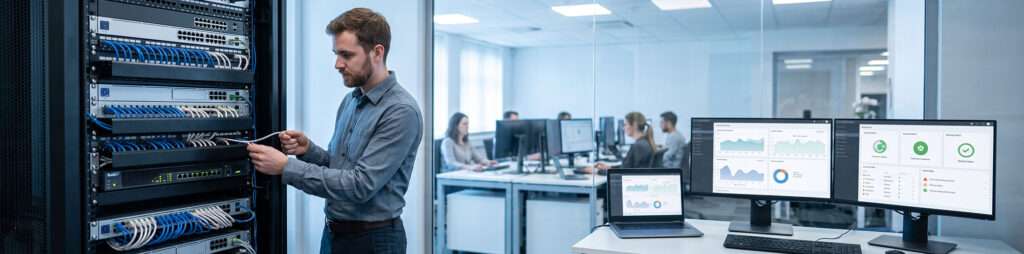
1. Assess and Document the IT Environment
Before recommending equipment or services, an IT company may evaluate the systems the business already uses.
An assessment can include:
- Employee computers and mobile devices
- Servers and data-storage systems
- Network equipment and internet connectivity
- Cloud platforms and business applications
- User accounts and access permissions
- Cybersecurity tools and processes
- Backup and recovery systems
- Technology vendors and service agreements
- Equipment age, warranties, and support status
- Existing documentation and administrative access
The objective is to understand what the business has, how the systems depend on one another, and where operational or security risks may exist.
Documentation may include equipment inventories, network diagrams, account ownership, configurations, support contacts, warranties, licenses, and recovery information. Accurate documentation makes future support and planning more consistent.
2. Provide IT Support for Employees
Employees need assistance when devices, accounts, applications, printers, phones, or connectivity do not work as expected.
An IT company may provide support through:
- A help desk
- Telephone or email support
- A support portal
- Remote assistance
- Scheduled on-site visits
- Emergency escalation procedures
The provider should define which users, devices, systems, applications, and locations are covered. It should also explain support hours, response priorities, escalation procedures, and services that require separate approval.
Techbleed’s IT support services address user and system problems within a defined business support environment.
3. Maintain Devices, Servers, and Operating Systems
Business technology requires ongoing maintenance even when employees are not reporting visible problems.
Depending on the agreement, an IT company may:
- Install approved software updates
- Apply security patches
- Review device and server health
- Investigate system alerts
- Maintain configurations
- Replace or upgrade aging equipment
- Manage business software licenses
- Remove unsupported applications
- Prepare devices for new employees
- Secure or remove access when employees leave
Maintenance does not guarantee that systems will never fail. It creates a structured process for identifying issues, keeping supported technology current, and reducing avoidable disruption.
4. Design and Maintain Business Networks
The network connects employees, computers, phones, printers, servers, cloud applications, and internet services.
An IT company may assess, design, install, configure, test, or maintain:
- Firewalls and routers
- Network switches
- Wireless access points
- Structured cabling
- Internet connections
- Virtual private networks
- Network segmentation
- Guest Wi-Fi
- Connections between locations
- Remote-access systems
Network work should consider performance, security, capacity, documentation, and future growth—not only whether devices can connect to the internet.
Businesses planning connectivity improvements can review Techbleed’s Network Infrastructure Services.
5. Manage Cloud Platforms and Business Applications
Many businesses depend on cloud services for email, file storage, collaboration, communication, accounting, customer management, and other essential processes.
An IT company may help with:
- Microsoft 365 or Google Workspace administration
- User accounts and permissions
- Cloud file storage
- Virtual servers and desktops
- Email configuration
- Application deployment
- License management
- Cloud migrations
- System integration
- Data synchronization
- Access from remote locations
The provider should document which cloud platforms it manages and which responsibilities remain with the software vendor or the business.
Moving an application to the cloud does not automatically make it secure, reliable, or properly managed. Access control, configuration, backup, monitoring, licensing, and employee support still require clear ownership.
6. Strengthen Cybersecurity
Cybersecurity is not one product or a single installation. It involves coordinated controls across users, devices, networks, applications, data, vendors, and business processes.
An IT company’s security responsibilities may include:
- Endpoint protection
- Email-security configuration
- Multifactor authentication
- User and administrator access controls
- Security updates and patch management
- Firewall management
- Vulnerability reviews
- Security monitoring and alert investigation
- Employee security awareness
- Incident-response preparation
- Backup protection
- Account onboarding and offboarding
No IT company can guarantee that a business will never experience a cyberattack or data-loss incident. The provider should clearly explain which risks it helps reduce, which systems it monitors, how incidents are escalated, and which responsibilities remain with the business.
The NIST Small Business Cybersecurity Corner also provides resources covering security topics relevant to smaller organizations.
Businesses that require a broader security program can learn more about Techbleed’s Cybersecurity Services.
7. Support Backup, Recovery, and Business Continuity
An IT company may configure or manage systems that protect business information and support recovery after an outage, equipment failure, cyber incident, or other disruption.
Responsibilities may include:
- Monitoring backup jobs
- Investigating failed backups
- Reviewing retention requirements
- Protecting backup accounts and storage
- Testing file or system restoration
- Documenting critical applications
- Identifying recovery priorities
- Coordinating replacement equipment
- Planning for internet or power interruptions
- Supporting disaster-recovery procedures
A completed backup job does not prove that the business can recover. Recovery procedures, access, dependencies, timing, and responsibilities also need to be documented and tested.
8. Coordinate Technology Vendors
Business technology frequently involves several separate companies, including internet providers, software vendors, hardware manufacturers, phone companies, cloud platforms, and cybersecurity providers.
When a problem involves several systems, each vendor may determine that its own service is operating normally.
An IT company can act as a technical coordinator by:
- Identifying which system is affected
- Collecting troubleshooting information
- Contacting the appropriate vendor
- Explaining the business environment
- Tracking the issue through resolution
- Documenting configuration changes
- Confirming that connected systems work afterward
Vendor coordination can reduce the amount of time managers and employees spend translating technical problems between separate service providers.
9. Plan Technology Projects and Improvements
Some IT companies also help businesses make longer-term technology decisions.
Planning may involve:
- Replacing aging equipment
- Opening or relocating an office
- Supporting additional employees
- Selecting business applications
- Moving systems to the cloud
- Improving remote access
- Strengthening cybersecurity
- Expanding network capacity
- Integrating disconnected systems
- Preparing an annual technology budget
- Prioritizing projects according to operational risk
A responsible provider should recommend technology based on business requirements rather than assuming that every organization needs the same products or infrastructure.
How Is an IT Company Different From an MSP?
An IT company is a broad category. A managed service provider, or MSP, is one type of IT company.
An IT company may complete a single repair, installation, assessment, migration, or consulting project. Its responsibility may end when that work is delivered.
A managed service provider has an ongoing agreement to manage defined systems and services over time. This may include monitoring, maintenance, employee support, administration, cybersecurity, documentation, vendor coordination, and technology planning.
Businesses that want to understand this model in more detail can read What Are Managed IT Services?.
Common Ways to Work With an IT Company
The right relationship depends on the business’s internal resources, technology environment, and support requirements.
Break-Fix Support
The business contacts the provider after a specific problem occurs. The provider diagnoses and repairs the issue, usually charging for the individual incident.
This may work for businesses with very limited technology needs, but it does not automatically include monitoring, preventive maintenance, documentation, or long-term planning.
Project-Based IT Services
The provider completes a defined project, such as installing a network, moving email to a cloud platform, replacing a server, improving Wi-Fi, or deploying a new application.
The agreement should explain the deliverables, schedule, testing, documentation, warranties, and post-project support.
Managed IT Services
The provider accepts ongoing responsibility for defined areas of the environment under a recurring agreement.
Techbleed’s Managed IT Services in Glendale can include ongoing support, monitoring, maintenance, administration, security, and coordination across covered systems.
Co-Managed IT
The external provider works alongside an internal IT employee or department.
The internal team may retain responsibility for company-specific systems and strategy, while the external provider supplies additional help desk capacity, monitoring, after-hours coverage, project support, or specialized expertise.

How Can an IT Company Benefit a Business?
The benefits depend on the provider, the service scope, and how clearly responsibilities are assigned.
Clearer Responsibility
A documented agreement can give the business a defined owner for covered systems, requests, maintenance activities, security controls, and vendor issues.
Access to Broader Expertise
A provider may give the business access to professionals with experience in networking, cloud systems, cybersecurity, user support, infrastructure, and technical projects.
This does not mean every provider has expertise in every technology. Businesses should confirm relevant experience before signing an agreement.
More Consistent Support
Established support channels, priorities, documentation, and escalation procedures can make it easier for employees to request and receive technical assistance.
Better Technology Planning
Regular reviews can help the business identify aging systems, capacity limitations, security gaps, upcoming renewals, and necessary improvements before they become urgent.
More Time for Internal Priorities
Managers and employees can spend less time troubleshooting systems, coordinating vendors, and making technical decisions without adequate information.
Improved Security and Recovery Preparation
Defined security, backup, access-control, monitoring, and response responsibilities can make technology risks more visible and manageable.
However, outsourcing these activities does not remove the business’s responsibilities. Leadership and employees still need to follow security procedures, approve investments, protect credentials, and report suspicious activity.
Costs Aligned With the Required Service Model
An external provider may give a business access to several technical capabilities without hiring a separate internal specialist for each one.
It is not automatically less expensive than internal IT. The correct comparison should include service scope, staffing coverage, tools, projects, hardware, response expectations, and responsibilities—not only the monthly price.
What Does an IT Company Not Automatically Handle?
Businesses should not assume that an IT company is responsible for every system or technology-related issue.
Depending on the agreement, the following may be excluded or priced separately:
- Hardware purchases
- New office installations
- Major cloud or server migrations
- Structured cabling projects
- Custom application development
- Website management
- Compliance or legal advice
- Recovery work for unsupported systems
- After-hours support
- On-site visits
- Employee-owned devices
- Applications managed by another vendor
The agreement should identify covered and excluded users, devices, applications, systems, locations, services, projects, and support hours.
When Should a Business Consider Hiring an IT Company?
External IT assistance may be appropriate when:
- Employees repeatedly lose time to technical problems
- Nobody has clear responsibility for maintaining systems
- The business depends on several cloud applications
- Cybersecurity responsibilities are unclear
- Backups are running but recovery is not tested
- The office network is unreliable or undocumented
- New employees and devices are difficult to onboard
- Technology vendors are not effectively coordinated
- The company is opening or relocating an office
- Internal IT employees need additional capacity
- Technology decisions are made only after something fails
- The business needs specialized expertise for a project
The presence of one issue does not automatically mean the business needs a full managed-services agreement. A focused assessment can determine whether the appropriate next step is a repair, project, consulting engagement, co-managed arrangement, or ongoing management.
Questions to Ask Before Choosing an IT Company
Before selecting a provider, ask:
- Which services and technical areas does the company specialize in?
- Which users, devices, applications, systems, and locations will be covered?
- Will the work be break-fix, project-based, managed, or co-managed?
- What support hours and communication channels are available?
- How are urgent issues prioritized and escalated?
- Which cybersecurity responsibilities belong to the provider?
- How are systems and administrative credentials documented?
- Which services require separate payment?
- Is on-site support available?
- How will the provider coordinate with existing vendors and employees?
- Who owns the accounts, configurations, and documentation?
- What happens to administrative access and records if the agreement ends?
A reliable IT company should define its responsibilities before work begins. Important limitations should not first become visible during an outage, security incident, or unexpected invoice.
Choose the Right Level of IT Responsibility
Understanding what an IT company does makes it easier to compare providers and service models.
Some businesses need assistance with one problem or project. Others need ongoing responsibility for employee support, systems, cybersecurity, cloud platforms, networks, vendors, and technology planning. Companies with internal technical staff may only need additional capacity or specialized expertise.
Begin by identifying the systems the business depends on, the problems that repeatedly interrupt operations, and the responsibilities that currently have no clear owner. Then evaluate whether those needs require break-fix support, a defined project, co-managed assistance, or a managed-services agreement.
Techbleed helps businesses in Glendale and the greater Los Angeles area assess their technology environments, define the appropriate service scope, and determine the right next step.
Frequently Asked Questions
What does an IT company do?
An IT company helps businesses plan, implement, support, secure, and improve their technology. Its work may include employee support, devices, servers, networks, cloud platforms, cybersecurity, backup systems, vendor coordination, and technology planning.
What services do IT companies provide?
Services may include IT support, system maintenance, network design and management, cloud administration, cybersecurity, backup and recovery, consulting, vendor coordination, software development, and technology projects. The exact scope varies between providers.
Is an IT company the same as a managed service provider?
Not necessarily. A managed service provider is a type of IT company that assumes ongoing responsibility for defined systems and services. Other IT companies may focus on individual repairs, consulting, cybersecurity, software development, or project-based work.
Can an IT company replace an internal IT department?
It can act as the primary external IT team or work alongside internal employees. The right model depends on the company’s systems, workload, internal expertise, required coverage, and long-term technology needs.
Does hiring an IT company guarantee that systems will not fail?
No. No provider can prevent every outage, cyber incident, equipment failure, or data-loss event. An IT company can improve maintenance, monitoring, security, documentation, response, and recovery preparation within the agreed service scope.
Is hiring an IT company less expensive than hiring internally?
Not automatically. Cost depends on the required expertise, coverage, tools, systems, projects, employee count, and service scope. Businesses should compare complete responsibilities and capabilities rather than only monthly fees or salaries.
What should be included in an IT service agreement?
The agreement should define covered users, devices, systems, applications, locations, support hours, communication channels, response priorities, security responsibilities, exclusions, separately priced work, documentation, account ownership, and termination procedures.
When should a small business hire an IT company?
A small business may need an IT company when recurring technical problems interrupt employees, security responsibilities are unclear, systems are undocumented, backups are not tested, vendors are difficult to coordinate, or the business needs expertise it does not maintain internally.


