
Managed IT services give a business an external technology team that takes ongoing responsibility for maintaining, supporting, securing, and improving its IT environment.
Instead of waiting for a server, network, account, or application to fail, the provider monitors the environment, performs preventive maintenance, supports employees, manages security controls, and helps the business plan technology decisions before they become urgent problems.
For small and midsize businesses, this model can provide broader technical coverage without requiring the company to build a complete internal IT department. Businesses evaluating this approach locally can learn more about Techbleed’s managed IT services in Glendale.
What Are Managed IT Services?
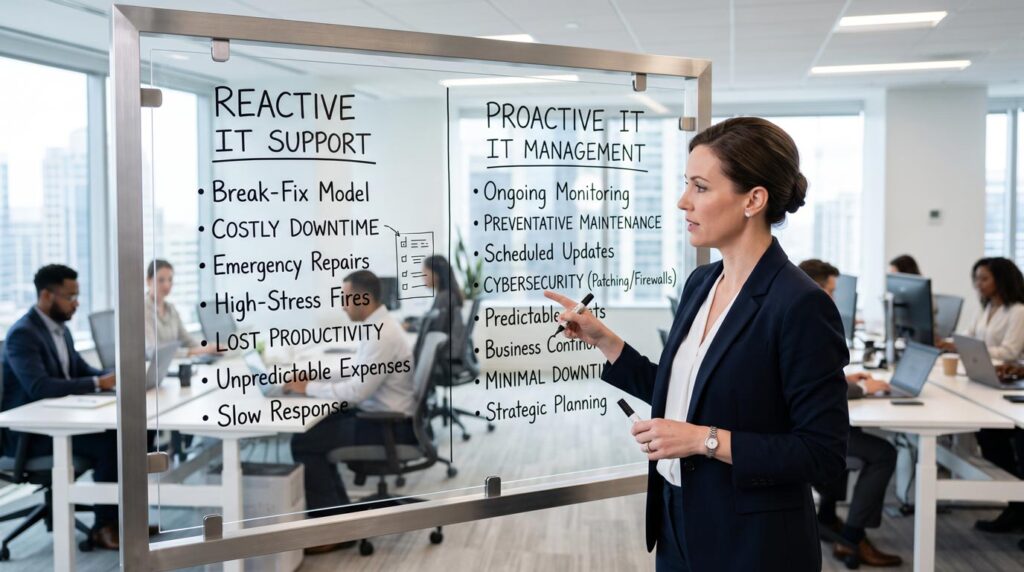
Managed IT services are an ongoing arrangement in which a managed service provider, commonly called an MSP, assumes responsibility for defined parts of a company’s technology environment.
The exact responsibilities should be documented in a service agreement. Depending on the business and provider, the agreement may cover:
- Employee IT support
- System and device monitoring
- Software updates and patch management
- Cybersecurity controls
- User accounts and access permissions
- Cloud platform administration
- Backup monitoring and recovery preparation
- Network management
- Vendor coordination
- Technology planning
The important distinction is not simply the number of services included. It is the ongoing responsibility for keeping those services organized, maintained, and aligned with the way the business operates.
Managed IT Services vs. Break-Fix IT Support

Break-fix IT support is reactive. A problem occurs, the business contacts a technician, and the technician investigates and repairs the issue.
That model can still be appropriate for a very small or simple technology environment. However, it becomes less effective as a company adds employees, devices, cloud applications, remote access, cybersecurity tools, and multiple locations.
Managed IT uses a different operating model.
Break-Fix IT Support |
Managed IT Services |
|---|---|
| Work begins after a problem occurs | Management continues before, during, and after incidents |
| The technician may have limited knowledge of the environment | The provider documents and regularly works with the environment |
| Costs depend on individual incidents and projects | Recurring services are defined through an ongoing agreement |
| Maintenance may occur only when requested | Preventive maintenance follows an established schedule |
| Problems are often treated as isolated events | Recurring issues can be identified across systems and users |
| Technology planning remains with the business | The provider can assist with planning and prioritization |
Managed IT does not eliminate every outage or technical problem. Its purpose is to reduce avoidable disruption, improve visibility, and create a consistent process for managing technology.
How Managed IT Services Work
A managed IT relationship usually develops through several operational stages.
Assessment
The provider reviews the company’s devices, servers, network infrastructure, cloud platforms, business applications, security controls, users, vendors, and support requirements.
This establishes what the business currently has, where important risks or performance problems exist, and which systems will fall within the managed scope.
Onboarding and Documentation
The provider documents the environment, configures monitoring and management tools, organizes administrative access, reviews backup systems, and establishes support and escalation procedures.
A structured onboarding process is important because effective management depends on accurate information about the systems being supported.
Ongoing Monitoring and Maintenance
The provider monitors covered systems, reviews alerts, applies approved updates, performs preventive maintenance, manages configurations, and investigates developing issues.
Monitoring does not mean that every problem can be prevented. It means the provider has a better opportunity to identify and address issues before they create wider operational disruption.
Employee Support
Employees receive a defined way to request assistance with devices, applications, accounts, access, connectivity, and other covered technology issues.
Requests are documented, prioritized, resolved, or escalated according to their urgency and operational impact.
Planning and Improvement
As the business changes, the provider helps review aging equipment, new applications, cloud requirements, security priorities, additional locations, and other technology decisions.
This planning function helps prevent the IT environment from becoming a collection of disconnected systems introduced one emergency at a time.
What Do Managed IT Services Include?
Service scope varies between providers, so businesses should never assume that every item is automatically included.
A typical managed IT plan may combine several of the following areas.
IT Support
Employees receive structured remote or on-site assistance for device problems, application errors, access requests, account administration, connectivity issues, and other everyday technology needs.
Monitoring and Preventive Maintenance
Covered systems are monitored for availability, performance, capacity, errors, and other conditions that may indicate a developing problem. Maintenance may include approved updates, patching, configuration reviews, and routine system checks.
Cybersecurity Management
Security responsibilities may include endpoint protection, email security, vulnerability management, identity controls, multifactor authentication, security monitoring, employee awareness, and incident-response preparation.
Cybersecurity should be treated as an ongoing risk-management process rather than a single product. The NIST Cybersecurity Framework 2.0 Small Business Quick-Start Guide provides practical guidance for small and midsize businesses building or improving this process.
Cloud and Identity Administration
The provider may manage Microsoft 365, Google Workspace, cloud servers, virtual desktops, licenses, user accounts, permissions, authentication policies, and supported cloud applications.
Backup and Recovery Management
Responsibilities may include monitoring backup jobs, reviewing failed backups, verifying retention settings, testing restoration procedures, and helping the business document recovery priorities.
A backup system should not be considered reliable only because scheduled jobs appear to be running. Recovery procedures also need to be reviewed and tested.
Network Management
The provider may monitor and maintain firewalls, switches, wireless access points, internet connectivity, network configurations, and related infrastructure.
Vendor Coordination
A managed IT provider can also coordinate with internet providers, software vendors, hardware manufacturers, and other technology partners when resolving problems that involve several systems or companies.
Technology Planning
The provider helps the business prioritize replacements, upgrades, security improvements, cloud projects, and future technology investments.
For a more detailed review of the service components, read What’s Included in Managed IT Services?.
What Managed IT Services Do Not Automatically Include

Managed IT does not necessarily mean that every technology-related task is covered by the monthly agreement.
Depending on the provider and contract, the following may require separate planning or project pricing:
- New hardware purchases
- Office relocations
- Structured cabling projects
- Major server or cloud migrations
- New network deployments
- Custom application development
- Database development
- Website design and development
- Compliance or legal consulting
- Recovery work for systems that were not included in the agreement
Managed IT also does not guarantee that outages, cyber incidents, or data loss will never occur. A responsible provider should explain the risks that can be reduced, the responsibilities included in the agreement, and the areas that remain under the customer’s control.
Fully Outsourced and Co-Managed IT
A business does not need to eliminate its internal IT role to use managed IT services.
Fully Outsourced IT
The managed provider acts as the company’s primary IT team. Employees contact the provider directly, while the provider manages support, administration, monitoring, maintenance, security, vendors, and planning within the agreed scope.
This model can work well for businesses that depend heavily on technology but do not maintain a complete internal IT department.
Co-Managed IT
The provider works alongside an internal IT employee or department.
The internal team may retain responsibility for company-specific applications, strategic projects, or internal processes, while the managed provider supplies additional capacity, after-hours coverage, cybersecurity expertise, monitoring, help desk support, or specialized technical resources.
The appropriate model depends on the company’s existing team, systems, workload, and operational requirements.
When Should a Business Consider Managed IT Services?
Employee count alone does not determine whether managed IT is appropriate. A smaller organization with sensitive information, multiple locations, or complex cloud systems may need more structured support than a larger company with a simple environment.
Managed IT may be worth evaluating when:
- Recurring IT issues interrupt employees or customers
- Nobody has clear responsibility for maintaining systems
- The company depends on cloud applications or remote access
- Security controls are inconsistent or difficult to evaluate
- Backups exist but restoration procedures are not regularly tested
- Technology vendors are managed separately without one accountable coordinator
- Internal IT employees need additional capacity or specialized expertise
- The business is adding employees, applications, devices, or locations
- Technology decisions are made only when something fails
Businesses experiencing several of these conditions may also benefit from reviewing the signs that a small business needs managed IT services.
How to Evaluate a Managed IT Provider
Before selecting a provider, ask for clear answers to the following questions:
- Which users, devices, systems, locations, and applications are included?
- What support hours and communication channels are available?
- How are critical incidents prioritized and escalated?
- Which cybersecurity responsibilities belong to the provider?
- How are backups monitored, and how often are restorations tested?
- Which services or projects require separate pricing?
- How will the provider document the environment?
- What reports or reviews will show whether the environment is improving?
- How will the provider work with internal employees and existing vendors?
- What happens to documentation, accounts, and access if the agreement ends?
A reliable provider should define responsibilities before onboarding begins. Businesses should not have to discover important service limitations during an outage or security incident.
Organizations can also use resources from CISA for small and midsize businesses to understand foundational practices such as multifactor authentication, software updates, backups, logging, and data protection.
How Techbleed Supports Glendale Businesses

Techbleed coordinates the primary technology functions that businesses rely on through one managed environment.
Depending on the organization’s needs, that environment may include:
- IT support for employees, devices, applications, and accounts
- Cybersecurity services for users, systems, networks, data, and facilities
- Cloud computing services for cloud platforms, virtual systems, access, and administration
- Unified communications for business calling, messaging, meetings, and mobility
- Network infrastructure services for connectivity, equipment, Wi-Fi, cabling, and deployment
Techbleed can operate as a fully outsourced technology team or work alongside existing internal staff. The service scope is built around the company’s users, systems, risks, and operational priorities rather than a standard package applied to every organization.
Businesses comparing the two approaches can also read In-House IT vs. Managed IT Services.
Build a More Accountable IT Environment
Understanding what managed IT services are is only the first step. The next question is whether your current technology environment has clear ownership, reliable support, appropriate security controls, and a plan for improvement.
Techbleed helps Glendale businesses assess their current systems and determine which areas require better management, protection, or support.
Frequently Asked Questions
What is the simplest definition of managed IT services?
Managed IT services are an ongoing arrangement in which an external provider takes responsibility for monitoring, maintaining, securing, and supporting defined parts of a business’s technology environment.
How are managed IT services different from regular IT support?
Regular IT support often focuses on resolving individual problems. Managed IT combines technical support with ongoing monitoring, maintenance, security, administration, documentation, and planning.
Are managed IT services suitable for small businesses?
Yes. Managed IT can be useful for small businesses that depend on technology but do not have the resources or need to build a complete internal IT department. Suitability depends more on the business’s systems, risks, and support needs than on employee count alone.
Is cybersecurity included in managed IT services?
It may be included, but businesses should confirm the exact scope. The agreement should specify which security tools, monitoring activities, access controls, policies, and response responsibilities belong to the provider.
Can managed IT services work alongside internal IT staff?
Yes. In a co-managed arrangement, the provider supplements the internal team with additional coverage, capacity, monitoring, cybersecurity expertise, help desk support, or specialized technical resources.
Do managed IT services prevent every outage or cyberattack?
No. No provider can eliminate every technology or security risk. Managed IT creates a structured process for reducing avoidable problems, detecting issues, responding consistently, and improving the environment over time.
How much do managed IT services cost?
Pricing depends on the number of users and devices, the systems being managed, support coverage, cybersecurity requirements, cloud platforms, locations, and the complexity of the environment. The provider should define both recurring services and separately priced work before the agreement begins.


