
In-house IT vs managed IT services is an important decision for businesses evaluating how to manage support, cybersecurity, infrastructure, and future growth. The right model determines who owns day-to-day IT responsibilities, how the business accesses specialized expertise, and what happens when internal resources are unavailable.
Neither model is right for every organization. An internal team can provide deep knowledge and daily on-site availability. A managed IT services provider can offer broader technical coverage and structured support without requiring a business to build every capability internally. Some organizations benefit most from combining the two.
This guide compares the three practical options—in-house, fully managed, and co-managed IT—so you can choose the model that fits your people, systems, risk, and growth plans.
In-House IT vs Managed IT Services: The Short Answer
In-house IT is often the better fit when a business has highly specialized systems, enough ongoing work to support a dedicated team, or a strong need for continuous on-site presence. Managed IT services are often a better fit when a small or mid-sized business needs access to several IT disciplines but does not want to recruit and manage a full internal department.
Co-managed IT services offer a third option. An internal IT employee or team keeps business knowledge and day-to-day ownership, while an external provider adds help desk capacity, security expertise, monitoring, project support, or after-hours coverage.
The right answer depends less on company size alone and more on the level of coverage, specialization, accountability, and continuity the business requires.
What In-House IT Means

An in-house IT model uses employees who work directly for the organization. Depending on the company, this could mean one IT generalist, a small team, or a department with specialists in support, systems, networking, cloud platforms, and cybersecurity.
Internal IT may handle:
- Employee onboarding, offboarding, and technical support
- Device, application, and account administration
- Network and server management
- Security controls and incident coordination
- Vendor relationships and technology purchasing
- Infrastructure projects and long-term planning
The scope depends on team size and skills. A single administrator may cover many functions, while a larger department can divide responsibility among specialists.
What Managed IT Services Mean
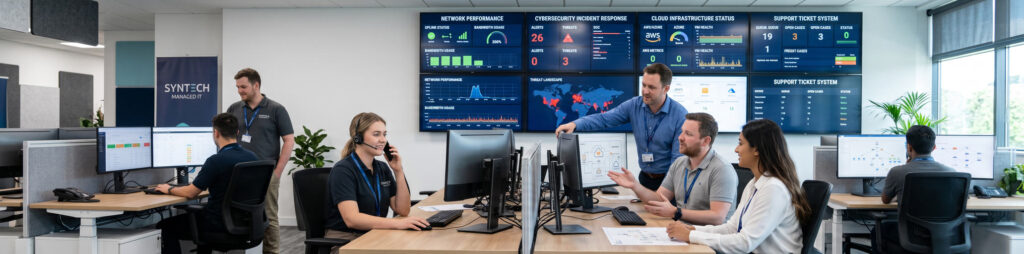
Managed IT services are an ongoing relationship in which an external provider assumes defined responsibilities for a company’s technology environment. The agreement should specify what the provider manages, when support is available, how requests are prioritized, and how performance is measured.
The phrase does not describe one universal package. Depending on the provider and agreement, the scope may include IT support, managed cybersecurity, cloud computing, unified communications, and network infrastructure.
Backup, disaster recovery, and business continuity may be included, offered as add-ons, or managed under a separate plan. Review the agreement instead of assuming every service is part of the monthly fee. For a more detailed scope breakdown, see what is included in managed IT services.
In-House IT vs Managed IT Services: Side-by-Side Comparison
The table below summarizes the most common differences. Actual results depend on staffing, provider capabilities, and the written service agreement.
| Decision factor | In-house IT | Managed IT services | Co-managed IT |
|---|---|---|---|
| Business knowledge | Usually develops deep familiarity with people, workflows, and internal priorities | Builds knowledge through onboarding, documentation, and ongoing service | Internal knowledge stays in-house while the provider adds outside depth |
| Technical expertise | Limited to the skills and capacity of the people hired | Can provide access to a multidisciplinary team | Internal staff lead while specialists fill defined gaps |
| Support coverage | Based on employee schedules and on-call arrangements | Based on the hours and response terms in the agreement | Coverage is divided between the internal team and provider |
| On-site availability | Immediate when staff work at the location | May be remote-first, scheduled, or available locally depending on the provider | Internal staff handle daily presence; the provider assists when needed |
| Cost structure | Salaries, benefits, recruiting, training, tools, and possible overtime | Recurring service fees plus excluded work, projects, or products | Internal employment costs plus a narrower managed-services scope |
| Scalability | Usually requires hiring, training, or reallocating staff | Capacity can often expand through a revised plan | Provider capacity can support internal growth and peak demand |
| Knowledge continuity | Can be vulnerable when key employees leave without strong documentation | Shared documentation and team processes may reduce dependence on one person | Both parties should document systems and define ownership |
| Management control | Direct supervision through the company’s leadership and HR structure | Governance occurs through the contract, meetings, reporting, and escalation paths | Operational control is shared according to a responsibility matrix |
Advantages of In-House IT
Deep organizational knowledge
Internal employees learn how departments work, why systems were configured a certain way, and which technology issues affect the business most. That context can be especially valuable when the organization relies on proprietary software or unusual workflows.
Dedicated attention
An internal team works for one organization. Leadership can set priorities directly and adjust work quickly when business needs change.
Regular on-site presence
Physical availability helps with hardware replacement, office moves, cabling, conference-room systems, and other work that cannot be completed remotely. Businesses with frequent hands-on needs may value this heavily.
Direct control over hiring and development
The company chooses its staff, defines roles, manages performance, and builds internal career paths. Organizations that want technology leadership embedded in company culture may prefer this model.
Limitations of In-House IT
The total cost goes beyond salary
Employment cost includes benefits, payroll taxes, recruiting, training, certifications, management time, tools, and coverage during leave. As one reference point, the U.S. Bureau of Labor Statistics reported a national median annual wage of $96,800 for network and computer systems administrators in May 2024. The BLS occupation profile also shows that the role includes networks, systems, security, upgrades, and user access—only part of the expertise a modern business may need.
Use current local compensation data and the full employment cost when comparing an internal hire with a provider proposal. A generic salary estimate is not enough for an accurate decision.
One person cannot be a specialist in every discipline
Support, networking, cloud administration, cybersecurity, compliance, communications, and strategic planning require different skills. A capable generalist can manage a broad environment, but no single hire can provide unlimited depth or capacity.
Coverage gaps can create operational risk
Vacations, illness, competing priorities, and employee turnover affect availability. If critical knowledge is held by one person, the business may struggle when that employee is unavailable or leaves.
Growth requires additional hiring
More employees, locations, applications, and compliance obligations create more work. Recruiting and onboarding additional IT staff can take time, so internal capacity may lag behind business growth.
Advantages of Managed IT Services
Access to a broader team
A provider may combine help desk staff, system and network engineers, cloud specialists, security professionals, and strategic advisors. The exact expertise available should be verified during provider evaluation.
Scalable support capacity
Managed services can make it easier to add users, locations, devices, or specialized support without recruiting a new employee for every change. Pricing and scope may change as the environment grows, so the agreement should explain how adjustments work.
Documented processes and shared knowledge
Providers commonly use ticketing, monitoring, documentation, escalation, and reporting systems. Strong processes can reduce dependence on one technician and provide a clearer operational history.
Proactive maintenance
Monitoring, patch management, alert review, lifecycle planning, and routine maintenance can help identify issues before they become larger disruptions. Providers should explain which systems they monitor, what actions they take, and what remains the client’s responsibility.
A more predictable cost structure
A recurring agreement can make covered operating costs easier to plan. Predictable does not mean unlimited: projects, hardware, software licenses, after-hours work, or on-site visits may be priced separately. The proposal should identify exclusions clearly.
Defined accountability
Service levels, reporting, escalation paths, and review meetings can create measurable accountability. This advantage depends on the quality of the contract and the provider’s ability to deliver against it.
Limitations of Managed IT Services
The provider is not a dedicated internal employee
An external team needs time to learn the organization. Good onboarding, current documentation, regular communication, and an assigned relationship owner help close the context gap.
On-site support may not be immediate
Many issues can be resolved remotely, but hardware failures and infrastructure work may require a visit. Ask whether on-site support is included, how it is scheduled, and whether the provider has technicians near your locations.
Scope and exclusions can create surprises
Two proposals with similar monthly prices may cover very different services. Review support hours, response targets, projects, hardware, software, backups, security tools, vendor management, and termination terms before comparing price.
Provider quality varies
The managed-services label does not guarantee strong security, fast response, useful reporting, or strategic guidance. References, technical capabilities, documentation practices, and escalation procedures matter more than the label alone.
Switching providers requires planning
The business should retain access to its accounts, configurations, documentation, licenses, and data. Confirm ownership and offboarding procedures before signing an agreement.
The Third Option: Co-Managed IT Services
The in-house IT vs managed IT services decision does not have to be all or nothing. In a co-managed model, internal staff and an external provider divide responsibility according to their strengths.
Examples include:
- Internal IT manages employees and business applications while the provider monitors infrastructure and security.
- An internal IT manager owns strategy while the provider operates the help desk.
- Internal staff cover business hours while the provider supplies after-hours monitoring or escalation.
- The provider supplies specialists for migrations, assessments, or major infrastructure projects.
- The internal team retains daily control while the provider adds tools, documentation, and overflow capacity.
A written responsibility matrix is essential. It should identify who owns each system, who responds to alerts, who approves changes, and who communicates during an incident.
How to Choose: In-House IT vs Managed IT Services

Consider in-house IT when:
- Your organization has enough ongoing work to support a properly staffed team.
- Daily operations depend on highly customized or proprietary systems.
- Continuous on-site availability is a major requirement.
- Leadership wants direct control over hiring, priorities, and technical operations.
- The business is prepared to fund training, tools, coverage, and succession planning.
Consider managed IT services when:
- You need several areas of expertise but cannot justify building a full department.
- Your current support is reactive, undocumented, or dependent on one person.
- The business is adding employees, locations, cloud services, or security requirements.
- You want defined support processes, reporting, and escalation paths.
- You can identify a provider whose coverage and service terms match your actual needs.
Consider co-managed IT when:
- You already have internal IT staff but they lack time or specialized expertise.
- Your team needs help desk capacity, after-hours coverage, security operations, or project support.
- You want to keep strategic or business-specific work internally while outsourcing repeatable operations.
- Growth has increased demand faster than the internal team can scale.
Questions to Ask When Comparing In-House IT vs Managed IT Services
Before comparing in-house IT vs managed IT services, define what the business actually needs. Use the same questions when evaluating an internal team, a managed provider, or a combined model:
- Which systems and business processes are critical to daily operations?
- What skills are required across support, security, cloud, networking, and communications?
- What support hours and response times does the business actually need?
- How much work requires someone physically on-site?
- Who covers vacations, illness, turnover, and after-hours incidents?
- How will systems, configurations, procedures, and credentials be documented?
- Which security and compliance responsibilities belong to the business, and which belong to the provider?
- What is included in the cost, and what is billed separately?
- How will performance, unresolved issues, risk, and future projects be reviewed?
- What will the environment need to support over the next two to three years?
These answers create a more useful comparison than salary or monthly price alone.
How to Compare Managed IT Proposals
If managed or co-managed support appears to be the right direction, compare providers using the same written requirements. Ask each provider to describe:
- Included services, tools, support hours, and locations
- Response and resolution targets by priority
- Remote and on-site support terms
- Security responsibilities and incident escalation
- Backup and recovery responsibilities
- Project, hardware, licensing, and after-hours charges
- Reporting and strategic review cadence
- Documentation ownership and offboarding procedures
Avoid choosing solely on the lowest monthly price. A proposal is useful only when it maps clearly to the responsibilities and risks your business needs covered.
How Techbleed Supports Glendale Businesses
Techbleed helps businesses in Glendale and the surrounding Los Angeles area evaluate fully managed, in-house, and co-managed IT models. We start by reviewing the current environment, business priorities, coverage gaps, and internal capabilities. From there, we define which responsibilities should remain with your team and which can be supported through a managed agreement.
Our managed IT services in Glendale can be structured around the services and coverage your organization needs. If you already have internal IT staff, Techbleed can work alongside them instead of replacing them.
Schedule a free IT assessment to discuss your current model and the responsibilities that need clearer ownership.
In-House IT vs Managed IT Services: The Bottom Line
The right choice between in-house IT vs managed IT services depends on the business—not on a universal rule. In-house teams offer dedicated focus, organizational knowledge, and regular on-site availability. Managed services can provide broader expertise, scalable capacity, documented processes, and agreed coverage. Co-managed IT combines internal ownership with external support where it adds the most value.
Compare the models using total cost, required expertise, support coverage, on-site needs, knowledge continuity, and accountability. The best model is the one that assigns clear responsibility and gives the business reliable access to the skills it needs.
Frequently Asked Questions
Is managed IT cheaper than in-house IT?
It can be, but the answer depends on scope. Compare the full cost of salaries, benefits, recruiting, training, tools, overtime, and coverage with the provider’s recurring fees and exclusions. A low monthly price is not a meaningful comparison if essential services are billed separately.
Can managed IT services replace an internal IT team?
Yes, when the provider has the appropriate capabilities and the agreement assigns clear responsibility for the required systems and support. Businesses with specialized applications or complex internal workflows may still benefit from an internal technology owner.
What are co-managed IT services?
Co-managed IT services divide technology responsibilities between an internal team and an external provider. The provider may add help desk coverage, monitoring, security expertise, project resources, or specialized tools while internal staff retain business-specific knowledge and control.
Does managed IT include on-site support?
Sometimes. Some providers include local on-site visits, while others price them separately or operate primarily remotely. Confirm availability, response expectations, service area, and fees in the written agreement.
How should I compare in-house IT vs managed IT services?
Compare total cost, technical depth, coverage hours, on-site availability, scalability, documentation, security responsibilities, and knowledge continuity. Also consider how each model would handle growth, employee absence, and a serious incident.
When should a business hire in-house IT?
An internal hire may make sense when the business has consistent workload, complex proprietary systems, frequent on-site needs, and the budget to provide training, tools, backup coverage, and access to specialists.


