
Technology supports nearly every part of a modern business, from employee communication and customer service to financial systems, cybersecurity, and daily operations. As the number of devices, applications, cloud platforms, and security requirements grows, the benefits of outsourcing IT services become especially relevant for small businesses that cannot manage every technical responsibility internally.
Building a complete in-house IT department is not always practical. A business may need expertise in technical support, cybersecurity, cloud administration, networking, backup, and technology planning, even when it cannot justify hiring separate specialists for every responsibility.
Outsourcing IT services gives businesses access to external technical resources while allowing internal employees to remain focused on their primary roles. Depending on the arrangement, an outsourced provider may handle selected responsibilities, supplement an existing IT employee, or manage most of the company’s technology environment.
The value of outsourcing is not limited to reducing expenses. The right arrangement can create clearer responsibility, broader technical coverage, more consistent support, and an IT environment that can adapt as the business changes.
What Does Outsourcing IT Services Mean?
Outsourcing IT services means assigning defined technology responsibilities to an external provider instead of managing every function entirely with internal employees.
The scope can vary significantly between businesses. Some organizations outsource only specific functions, such as employee support, cybersecurity monitoring, cloud administration, backup management, or network maintenance. Others use an external provider as their primary IT team.
Common outsourcing models include:
- Fully outsourced IT: The provider manages most day-to-day technology responsibilities, including support, maintenance, security, administration, documentation, and vendor coordination.
- Co-managed IT: The provider works alongside an internal IT employee or department, adding capacity, specialized expertise, monitoring, after-hours coverage, or project support.
- Function-specific outsourcing: The business retains overall IT responsibility but outsources a defined area such as cybersecurity, cloud management, help desk support, or network administration.
- Project-based support: The provider assists with a specific migration, deployment, assessment, office expansion, or infrastructure project.
IT outsourcing is a broad business model. Managed IT services are one structured form of outsourcing in which a provider takes ongoing responsibility for agreed systems and services through a continuing relationship.
Businesses that need continuous support, monitoring, maintenance, security coordination, and technology planning can explore Techbleed’s managed IT services in Glendale.
The right outsourcing model depends on the organization’s existing team, systems, risks, and support requirements. Businesses comparing an external provider with an internal department can also review In-House IT vs. Managed IT Services for a detailed comparison.
5 Benefits of Outsourcing IT Services
The benefits of outsourcing IT services depend on the provider, the agreement, and the responsibilities being transferred. A well-defined arrangement can help a business manage technology more consistently without building every capability internally.
1. More Predictable IT Costs
Maintaining an internal IT function involves more than salaries. Businesses may also need to budget for recruitment, employee benefits, ongoing training, management tools, specialized software, after-hours coverage, and access to expertise across several technical areas.
Outsourcing can replace some of these separate expenses with a more clearly defined service cost. Depending on the agreement, the business may pay a recurring monthly fee, a per-user or per-device rate, or separate fees for projects and services outside the regular scope.
This does not mean outsourcing is always the least expensive option. Its financial value often comes from greater predictability and broader coverage. A business can understand which responsibilities are included, what requires separate approval, and how support costs may change as users, devices, locations, or technical requirements grow.
A well-structured agreement can also reduce the operational cost of recurring problems. Preventive maintenance, monitoring, documentation, and consistent support processes may help the business address issues before they create wider disruption. However, no provider can guarantee that outages, security incidents, or unexpected expenses will never occur.
Before comparing providers, businesses should review both the monthly price and the complete service scope. For a detailed breakdown of common pricing models and cost factors, see Managed IT Services Cost in Glendale: 2026 Guide.
2. Access to Broader Technical Expertise
A modern business may depend on employee devices, cloud platforms, networks, cybersecurity controls, backup systems, business applications, and communication tools. Managing all of these areas effectively can require several different technical skill sets.
A small internal team or a single IT employee may understand the company’s systems well but may not have the time or specialized experience to manage every issue alone. An outsourced provider can add broader technical coverage without requiring the business to recruit a separate specialist for each responsibility.
Depending on the provider and agreement, that expertise may include:
- Employee IT support and troubleshooting
- Microsoft 365 or Google Workspace administration
- Network monitoring and infrastructure management
- Cybersecurity tools and security configuration
- Backup monitoring and recovery preparation
- Cloud platform administration
- Vendor coordination
- Technology planning and project support
Access to a larger technical team can also improve escalation. A routine support request may be handled by a help desk technician, while a network, cloud, or security issue can be assigned to someone with more relevant experience.
The benefit is not simply having more technicians available. It is having a defined process for assigning problems, documenting systems, coordinating responsibilities, and bringing in specialized knowledge when the business requires it.
Businesses should still confirm which skills and services are genuinely included. The provider should clearly explain what its internal team handles, what may be escalated to external vendors, and which projects require separate planning or pricing.

3. Stronger Security Processes and Risk Visibility
Cybersecurity requires more than installing antivirus software or responding after an incident. Businesses need an ongoing process for managing updates, access permissions, endpoint protection, email security, backups, network controls, employee risks, and suspicious activity.
Small businesses building a more structured security program can use the NIST Cybersecurity Framework 2.0 Small Business Quick-Start Guide to organize and prioritize cybersecurity risk-management activities. The Cybersecurity and Infrastructure Security Agency also provides free guidance and resources designed for small and midsize organizations.
For small and midsize businesses, maintaining visibility across all of these areas can be difficult. Security responsibilities may be divided between internal employees, software vendors, internet providers, and different technical contractors, leaving important gaps without a clear owner.
An outsourced IT provider can help organize these responsibilities through defined security processes. Depending on the service agreement, this may include:
- Managing endpoint protection and security updates
- Reviewing user accounts and access permissions
- Supporting multi-factor authentication
- Monitoring security alerts
- Maintaining firewall and network configurations
- Coordinating email security and phishing protection
- Reviewing backup status and recovery readiness
- Documenting incidents and escalation procedures
- Coordinating with cybersecurity or compliance specialists when needed
The primary benefit is improved visibility and accountability. The business has a clearer understanding of which systems are protected, which risks require attention, who responds to alerts, and how an issue should be escalated.
Outsourcing does not transfer every security responsibility to the provider. Employees still need to follow security procedures, business leaders must approve appropriate policies and investments, and the service agreement must clearly define which systems and activities are covered.
No provider can guarantee that a cyberattack, data loss event, or service disruption will never occur. A responsible outsourcing arrangement should instead reduce avoidable exposure, improve detection and response processes, and help the business make better-informed security decisions.
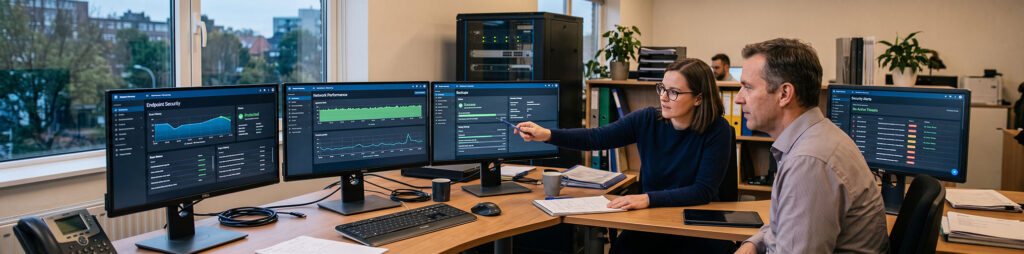
4. More Time for Core Business Priorities
Technology problems often require attention from employees whose primary responsibilities are not related to IT. Managers may spend time coordinating vendors, employees may attempt to troubleshoot recurring issues themselves, and business owners may have to make technical decisions without complete information.
These interruptions can affect more than the person experiencing the problem. A device failure, account issue, unstable network, or inaccessible application may delay communication, customer service, sales, finance, or other operational work.
Outsourcing defined IT responsibilities gives employees a clearer path for requesting support and gives the provider responsibility for investigating, documenting, resolving, or escalating covered issues. Internal teams no longer need to determine which vendor to contact every time a technical problem appears.
This allows business leaders and employees to spend more time on responsibilities that directly belong to their roles, while technology management follows a more consistent process.
The benefit does not come from removing the business from every technology decision. Leadership should still participate in budgeting, risk management, operational priorities, and major technology changes. The provider’s role is to organize the technical work, explain available options, and support decisions with better information.
A successful outsourcing relationship therefore creates a practical division of responsibility:
- Employees report issues and follow established procedures.
- Business leaders define priorities and approve important decisions.
- The provider manages the technical responsibilities included in the agreement.
- Specialized vendors are coordinated when an issue falls outside the provider’s direct scope.
When these responsibilities are clear, technology is less likely to become a series of disconnected problems that repeatedly pull attention away from business operations.
5. Easier Scaling as the Business Changes
Technology requirements rarely remain fixed. A business may add employees, open another location, adopt new applications, move systems to the cloud, introduce remote work, or face new security and compliance expectations.
Each change can affect devices, software licenses, user accounts, permissions, networks, backups, security controls, communication platforms, and support requirements. Without a coordinated process, growth can leave the IT environment fragmented and difficult to manage.
An outsourced provider can help the business plan and implement these changes across the systems included in the agreement. Depending on the scope, this may involve:
- Preparing devices and accounts for new employees
- Adjusting licenses, permissions, and security groups
- Supporting employee onboarding and offboarding
- Expanding support coverage as the team grows
- Connecting additional offices or remote employees
- Reviewing network capacity and equipment requirements
- Adding or changing cloud services
- Coordinating technology vendors during expansion
- Planning upgrades before existing systems become a limitation
The same flexibility can help when requirements decrease or change direction. A business may consolidate locations, reduce unused licenses, replace an application, reorganize employee access, or move responsibilities back to an internal team.
Outsourcing does not make every change immediate or automatically included in the monthly agreement. Major migrations, new office deployments, infrastructure projects, and hardware purchases may require separate planning and pricing.
The advantage is having an established technical resource that already understands the environment and can help evaluate how a business change will affect its systems, users, security, and support needs.
When Does Outsourcing IT Make Sense?
A business does not need to reach a specific employee count before considering IT outsourcing. The decision depends more on the complexity of its technology environment, the importance of its systems, and the responsibilities its internal team can manage consistently.
Outsourcing may be worth evaluating when:
- Recurring technical problems interrupt employees or customers
- IT responsibilities are divided between several employees or vendors without clear ownership
- The business relies on cloud applications, remote access, or multiple locations
- Internal employees lack time or specialized expertise for important technical responsibilities
- Security controls, updates, accounts, or backups are managed inconsistently
- Technology vendors are difficult to coordinate
- The business is growing faster than its current IT processes can support
- An internal IT employee needs additional capacity or specialized assistance
- Technology decisions are usually made only after something fails
A company does not always need to outsource its entire IT environment. It may begin with employee support, cybersecurity, cloud administration, monitoring, backup management, or another area where responsibility is currently unclear.
Before making a decision, the business should identify which systems and responsibilities need better management, which functions should remain internal, and what results it expects from an external provider.
For a more detailed review of the operational warning signs, read Signs Your Small Business Needs Managed IT Services.
What IT Outsourcing Does Not Automatically Guarantee
Outsourcing IT services can improve technical coverage and create clearer responsibility, but the arrangement should not be treated as a guarantee that every technology problem will disappear.
The results depend on the provider’s capabilities, the accuracy of the initial assessment, the quality of the onboarding process, and how clearly responsibilities are defined in the agreement.
Businesses should not automatically assume that outsourcing includes:
- Complete protection from cyberattacks or data loss
- Zero downtime or uninterrupted access to every system
- Unlimited remote or on-site support
- Every software license, security tool, or hardware purchase
- Major migrations, deployments, or infrastructure projects
- Support for every application or vendor
- Legal, regulatory, or compliance certification
- Recovery for systems that were not included in the agreement
- Immediate resolution of problems involving third-party providers
Service descriptions such as “complete IT,” “24/7 support,” or “fully managed” should be supported by specific terms. The agreement should identify which users, devices, locations, applications, and systems are covered. It should also explain support hours, response priorities, escalation procedures, exclusions, and separately priced work.
The business also retains important responsibilities. Leadership must approve priorities and investments, employees must follow security and support procedures, and internal stakeholders must communicate operational changes that affect the technology environment.
A reliable provider should make these boundaries clear before the service begins. Outsourcing works best when both parties understand what the provider owns, what remains under the business’s control, and how they will coordinate when responsibilities overlap.
How Outsourced IT Connects to Managed IT Services
IT outsourcing describes a broad range of arrangements in which an external provider performs defined technology work. That work may involve a single project, one technical function, temporary assistance, or ongoing responsibility for a larger part of the IT environment.
Managed IT services are a continuing form of outsourcing. Instead of contacting a provider only when a project begins or a problem occurs, the business establishes an ongoing relationship for agreed systems and responsibilities.
A managed arrangement may combine:
- Employee IT support
- System and device monitoring
- Preventive maintenance and patching
- Cybersecurity management
- Cloud and identity administration
- Network management
- Backup monitoring and recovery preparation
- Vendor coordination
- Documentation and technology planning
The distinction is not simply the number of services provided. It is the continuing responsibility for maintaining, supporting, securing, and improving the covered environment over time.
This model can be fully outsourced or co-managed. In a fully outsourced arrangement, the provider operates as the business’s primary IT team. In a co-managed arrangement, the provider supplements internal employees with additional capacity, tools, coverage, or specialized expertise.
Not every business that outsources an IT task needs a complete managed service plan. A company may need assistance with one project or technical function while retaining the rest internally. Managed IT becomes more relevant when the business needs ongoing coordination across support, systems, security, vendors, and planning.
For a detailed explanation of the responsibilities that may be covered, review What Is Included in Managed IT Services?.
Questions to Ask Before Outsourcing IT
The benefits of outsourcing IT services depend heavily on how clearly the provider defines its responsibilities. Before signing an agreement, businesses should ask:
- Which users, devices, systems, applications, and locations are included?
- What support hours and communication channels are available?
- How are urgent, high-priority, and routine requests classified?
- What response and escalation expectations apply to each priority level?
- Which cybersecurity responsibilities belong to the provider?
- Are backups monitored, and how often are recovery procedures tested?
- Is on-site support available, and under what conditions?
- Which tools, licenses, hardware purchases, and projects require separate payment?
- How will the provider document the IT environment?
- How will the provider work with internal employees and existing vendors?
- What reporting or review process will show whether the environment is improving?
- What happens to accounts, documentation, and administrative access if the agreement ends?
A reliable provider should answer these questions before onboarding begins. Important limitations should not become visible only after an outage, security incident, or unexpected invoice.
Build a More Accountable IT Environment
The primary benefits of outsourcing IT services are not limited to cost savings. A well-structured relationship can give a business more predictable support, broader technical expertise, clearer security processes, better use of internal time, and an IT environment that can adapt as the organization changes.
The right model depends on what the business already manages internally and where responsibility is currently unclear. Some companies need a complete external IT team. Others need additional capacity for support, security, cloud systems, monitoring, or specific technical projects.
Before choosing a provider, identify the systems the business depends on, the problems that repeatedly interrupt operations, and the responsibilities that need a more consistent owner. Then compare providers based on service scope, accountability, communication, and their ability to support the business over time—not only on the monthly price.
Techbleed helps Glendale businesses assess their current technology environment and determine which responsibilities should remain internal, which can be outsourced, and whether a managed service model is appropriate.
Frequently Asked Questions
What are the main benefits of outsourcing IT services?
The main benefits can include more predictable IT costs, access to broader technical expertise, stronger security processes, more time for core business priorities, and greater flexibility as users, systems, and locations change. The actual benefits depend on the provider and the responsibilities included in the agreement.
Is outsourcing IT services always less expensive than hiring internally?
No. Outsourcing is not automatically the least expensive option. Its financial value often comes from predictable service costs and access to several technical capabilities without hiring a separate internal specialist for each responsibility. Businesses should compare the complete service scope rather than only the monthly price.
What is the difference between IT outsourcing and managed IT services?
IT outsourcing is a broad term for assigning technology work to an external provider. It may involve a project, one technical function, temporary assistance, or ongoing support. Managed IT services are a continuing form of outsourcing in which the provider takes responsibility for agreed systems and services over time.
Can a small business outsource only part of its IT?
Yes. A business may outsource employee support, cybersecurity, cloud administration, network management, backup monitoring, or another defined function while retaining other responsibilities internally. This can also be organized as a co-managed arrangement with an internal IT employee or department.
Does outsourcing IT eliminate cybersecurity risks?
No. No provider can eliminate every cyberattack, outage, or data-loss risk. Outsourcing can improve security visibility, establish clearer processes, and provide access to technical expertise, but the business and its employees continue to have important security responsibilities.
What should be included in an IT outsourcing agreement?
The agreement should define the covered users, devices, systems, applications, and locations. It should also explain support hours, response priorities, escalation procedures, security responsibilities, reporting, exclusions, and any services or projects that require separate pricing.
Does outsourcing IT mean replacing an internal IT team?
Not necessarily. An external provider can operate as the primary IT team or work alongside internal employees. In a co-managed model, the provider may add help desk capacity, monitoring, after-hours coverage, specialized security expertise, or project support while the internal team retains other responsibilities.


