
Signs your small business needs managed IT services rarely begin with one major technology failure. More often, they appear as a pattern: recurring computer problems, slow support, security uncertainty, unplanned downtime, or technology that no longer keeps up with the business.
One isolated issue may only require a repair. When the same problems keep returning, affect several employees, or begin interfering with customers and revenue, the problem is no longer a single device or application. It is the way the business manages technology.
For companies that have reached that point, managed IT services in Glendale can replace reactive fixes with ongoing monitoring, structured support, cybersecurity management, and long-term planning.
How to Recognize the Signs Your Small Business Needs Managed IT Services
The clearest warning signs usually affect more than the IT system itself. They take time away from employees, create uncertainty for managers, increase operational risk, or make growth harder to manage.
If several of the following situations sound familiar, your current IT approach may no longer be sufficient.
1. Recurring IT Problems Are Consuming Too Much Time

Technology should help employees complete their work. It becomes a business problem when owners, managers, or other employees repeatedly stop what they are doing to troubleshoot computers, accounts, printers, software, or connectivity.
Look at the pattern over the last few months:
- Are employees reporting the same problems more than once?
- Does someone without an IT role regularly become the unofficial technical contact?
- Are issues temporarily fixed without identifying their underlying cause?
- Do managers spend time coordinating several technicians or vendors?
- Are support requests handled differently depending on who is available?
An occasional problem does not necessarily require managed services. Repeated problems indicate that maintenance, documentation, monitoring, or accountability may be missing.
Structured IT support gives employees a consistent way to report problems and helps recurring issues become visible. When support is part of a broader managed service, ticket activity can also reveal aging devices, weak processes, recurring network failures, and other problems that require a long-term solution.
2. Business Growth Is Outpacing Your Technology
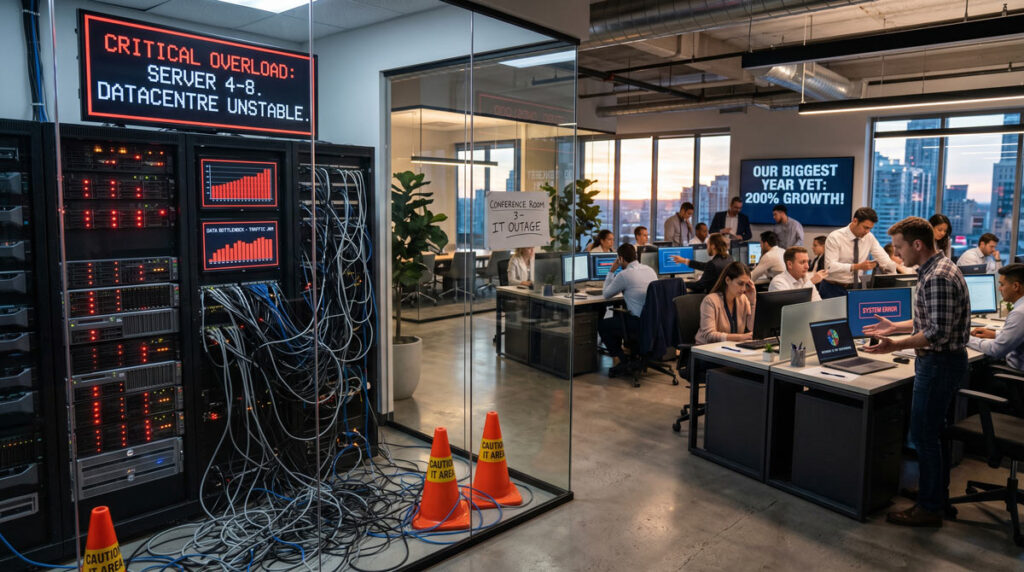
A technology setup that worked for five employees may become unreliable at fifteen or twenty. Every new hire adds devices, accounts, permissions, software licenses, storage needs, and security responsibilities. New offices, remote employees, or additional cloud applications make the environment more complex again.
Growth-related warning signs may include:
- New employees wait too long for accounts or equipment.
- Devices and software are purchased without consistent standards.
- File access and permissions are difficult to manage.
- Networks slow down as more users and applications are added.
- Former employees retain access longer than they should.
- Different vendors manage separate systems without one point of accountability.
These problems are not simply growing pains. They show that technology decisions are being made one request at a time instead of through a repeatable process.
A managed IT provider can standardize onboarding and offboarding, plan capacity, document systems, coordinate vendors, and prepare infrastructure for the next stage of growth. The objective is not to add unnecessary technology. It is to make sure the systems already supporting the business can scale reliably.
3. You Are Unsure Whether Your Business Is Secure and Recoverable

Security uncertainty is one of the most important warning signs. A business owner does not need to personally manage every security tool, but someone must be able to answer basic questions clearly:
- Are all business devices protected and updated?
- Is multi-factor authentication enabled for important accounts?
- Who reviews security alerts?
- Are employee permissions reviewed regularly?
- Are backups monitored and restoration procedures tested?
- Is there a documented response plan for phishing, ransomware, or a compromised account?
The U.S. Cybersecurity and Infrastructure Security Agency provides cyber guidance for small businesses, including practical steps for reducing exposure to phishing, ransomware, and other common threats. The guidance also reflects an important reality: smaller organizations often have limited internal resources for managing cybersecurity consistently.
Techbleed’s cybersecurity services in Glendale help businesses coordinate protection across users, devices, accounts, networks, cloud platforms, and employee practices. Security should operate as an ongoing process rather than a collection of tools that nobody actively manages.
Recovery readiness matters just as much as prevention. Having a backup does not guarantee that critical systems can be restored within an acceptable time. Backup and disaster recovery services help define recovery priorities, monitor backup performance, and test whether data and systems can actually be restored.
4. Downtime Is Affecting Employees, Customers, or Revenue

Every organization experiences occasional technical problems. The warning sign is not one short interruption. It is downtime that becomes frequent, takes too long to resolve, or begins affecting customer service and essential operations.
Examples include:
- Employees cannot access email, shared files, or business applications.
- Internet or network outages interrupt transactions and communication.
- A server or cloud service fails without a clear recovery process.
- Several employees lose productive time because of one recurring issue.
- Customers experience delays because internal systems are unavailable.
- Nobody can explain what failed or how the same problem will be prevented.
The true cost of downtime depends on the business. Instead of relying on a broad industry average, calculate the impact using your own operations: the number of affected employees, the length of the interruption, missed transactions, delayed work, recovery costs, and customer consequences.
Managed IT services reduce this uncertainty by connecting monitoring, maintenance, documentation, support, and escalation. Problems can be identified earlier, and technicians can respond with a better understanding of the affected environment. No provider can eliminate every interruption, but a structured approach can make failures less frequent and recovery more controlled.
5. Technology Decisions Have No Clear Owner or Long-Term Plan

Many small businesses make technology decisions only when an immediate need appears: replace a failed computer, add software for a new employee, increase cloud storage, or buy a security tool after a concern arises.
Over time, these individual decisions create a disconnected environment that is harder to secure, support, and budget for. Warning signs include:
- Nobody maintains an accurate inventory of systems and devices.
- Hardware is replaced only after it fails.
- Software renewals and vendor contracts are difficult to track.
- IT spending changes unexpectedly from month to month.
- Backup, security, and access responsibilities are unclear.
- There is no technology roadmap connected to business goals.
The NIST Cybersecurity Framework 2.0 Small Business Quick-Start Guide organizes risk management around six connected functions: Govern, Identify, Protect, Detect, Respond, and Recover. This is a useful reminder that reliable technology management requires ownership and planning before, during, and after an incident.
A managed IT partner can help document the current environment, prioritize risks, plan upgrades, forecast recurring technology needs, and review whether systems still support the way the company operates. This replaces isolated purchases with a practical roadmap.
Recognizing the signs your small business needs managed IT services early makes it easier to replace reactive decisions with a structured technology plan.
Does Your Business Need Managed IT or Occasional IT Support?
Not every business needs the same service model. The right choice depends on how often technology problems occur, how important the systems are to daily operations, and whether anyone is consistently responsible for maintaining them.
| Occasional IT Support May Be Enough When | Managed IT May Be a Better Fit When |
|---|---|
| Technical issues are rare and have limited operational impact. | Problems recur or affect several employees. |
| The business can tolerate waiting for a technician when something breaks. | Downtime directly affects customers, productivity, or revenue. |
| Security, backups, updates, and access are already managed consistently. | Nobody can clearly confirm that security and backups are being monitored. |
| Technology needs are simple and change infrequently. | The company is hiring, adding locations, or adopting new platforms. |
| A qualified person already owns long-term IT planning. | Technology decisions are reactive and responsibilities are unclear. |
Break-fix support focuses on resolving an individual problem after it occurs. Managed IT focuses on maintaining the overall environment continuously. That usually includes preventing recurring problems, coordinating support, managing security and updates, documenting systems, and planning improvements.
A Quick Self-Assessment: Does My Business Need Managed IT Services?
Answer the following questions based on the last three to six months:
- Have the same technology problems occurred more than once?
- Are employees or managers spending work time troubleshooting IT?
- Would a system outage prevent the business from serving customers?
- Is it unclear whether backups can restore critical systems?
- Are security updates, alerts, and user access managed inconsistently?
- Is business growth making onboarding, support, or infrastructure harder?
- Are technology costs unpredictable because most spending happens during emergencies?
- Is there no documented technology plan for the next twelve months?
One “yes” may point to a specific issue. Several “yes” answers usually indicate that the business needs a more structured approach. An assessment can then determine whether fully managed IT, co-managed support, or a focused project is the appropriate next step.
What Should You Do If You See the Signs Your Small Business Needs Managed IT Services?
Do not begin by purchasing another tool or selecting a service package. Begin by documenting what is actually happening.
Review recurring support problems, downtime, device age, user access, security controls, backup performance, software dependencies, vendor responsibilities, and upcoming business changes. This creates a baseline for deciding what needs immediate attention and what can be planned over time.
A useful IT assessment should answer three questions:
- Which problems or risks require action now?
- Which responsibilities are currently missing or unclear?
- What level of ongoing support fits the business’s operations and priorities?
The purpose is not to make every system more complex. It is to create clear ownership, reduce preventable disruption, and make technology decisions easier to plan.
How Techbleed Helps Small Businesses in Glendale
Techbleed works with small businesses in Glendale and the greater Los Angeles area that need reliable technology without building a complete internal IT department.
Our managed approach can coordinate day-to-day support, proactive monitoring, cybersecurity, cloud platforms, network management, backup and recovery, vendor communication, and long-term technology planning. The exact scope is based on the organization’s systems, users, risks, internal resources, and operational requirements.
If your business is experiencing several of the warning signs above, the next practical step is to evaluate the current environment and clarify what type of support is actually needed.
Frequently Asked Questions
What are the clearest signs a small business needs managed IT services?
The clearest signs include recurring IT problems, employees losing time to troubleshooting, uncertainty about cybersecurity or backups, frequent downtime, unpredictable technology costs, and no long-term IT plan. The pattern matters more than one isolated incident.
Does my business need managed IT services if we do not have an internal IT team?
Possibly. Managed IT can serve as the primary technology function for a small business that does not have dedicated internal staff. The provider can coordinate support, maintenance, monitoring, security, vendors, and planning according to an agreed service scope.
Can managed IT services support an existing IT employee or department?
Yes. In a co-managed model, the provider works alongside internal staff. The external team may handle help desk requests, after-hours coverage, monitoring, security, vendor coordination, or specialized projects while internal employees retain responsibility for company-specific priorities.
What is the difference between managed IT and break-fix support?
Break-fix support responds after a specific problem occurs and is usually billed by incident or time. Managed IT is an ongoing relationship focused on maintaining the complete environment, preventing recurring problems, coordinating support, and planning future needs.
When should a small business hire a managed service provider?
A small business should consider a managed service provider when recurring technology problems begin affecting productivity, security, customers, growth, or budgeting. An assessment can determine whether the company needs fully managed service, co-managed support, or a narrower project.


