
Copilot vs ChatGPT for small business is one of the most common AI questions business owners are asking in 2026. Should you standardize on Microsoft Copilot, or does ChatGPT make more sense for how your team actually works?
The comparison sounds straightforward. In practice, it isn’t because the two tools are solving different problems, and choosing between them without understanding that distinction leads businesses to either overpay for features they don’t use or underinvest in capabilities they actually need.
This guide breaks down the real differences between Microsoft Copilot and ChatGPT for small businesses in 2026 including pricing, data privacy, practical use cases, and the question that most comparisons skip entirely: what happens when neither tool is quite right for how your business handles sensitive data.
For businesses in Glendale evaluating how AI fits into their broader technology strategy, this distinction also shapes how managed IT services providers recommend and support AI adoption because the right tool depends heavily on your existing infrastructure.
The Fundamental Difference Most Comparisons Miss
Both Copilot and ChatGPT run on OpenAI’s GPT-5 model family. The underlying intelligence is largely identical. What differs is everything around the model: where it lives, what data it can access, what tools it exposes, and how much it costs.
That framing is the most useful starting point for any small business evaluating these tools. You’re not choosing between smarter and less smart AI. You’re choosing between two different architectures with different relationships to your business data.
Copilot keeps data inside your Microsoft compliance boundary. ChatGPT is a general-purpose reasoning tool that shines on open-ended work like brainstorming, drafting from scratch, coding help, and analysis of material you deliberately give it, but it has no native view into your business data.
When weighing Copilot vs ChatGPT for small business use, that distinction matters more than any feature comparison.
What Microsoft Copilot Actually Does
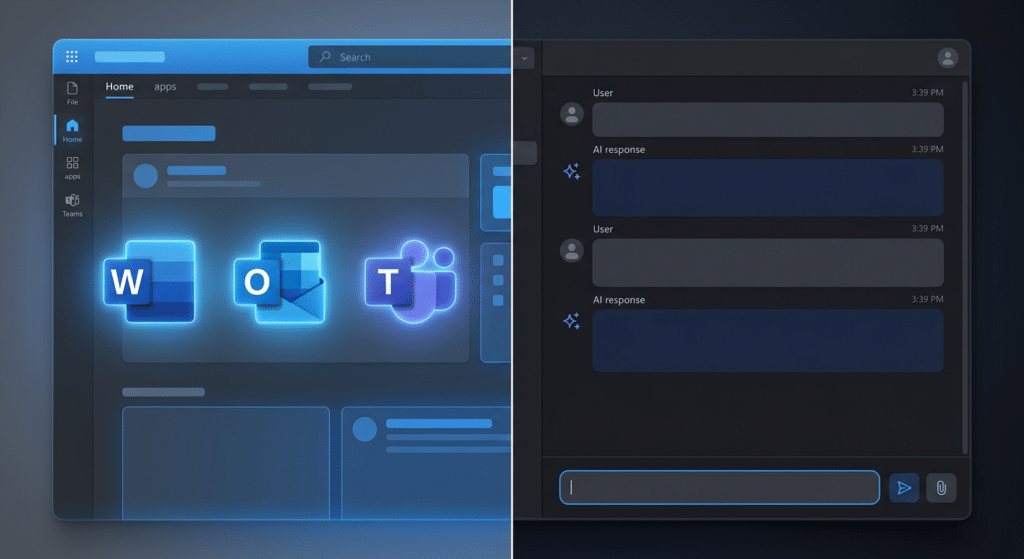
Copilot is an AI layer built into Microsoft 365. It works inside the applications your team already uses Outlook, Teams, Word, Excel, PowerPoint, SharePoint and it can read and reference your business data within those environments.
When an employee asks Copilot to summarize last quarter’s sales figures, it can pull from the actual spreadsheets in SharePoint. When it drafts an email response, it has context from the email thread. When it prepares meeting notes, it references the Teams recording and the shared document.
Microsoft 365 Copilot privacy: the service inherits your compliance posture instead of asking you to rebuild it somewhere else. Your security team can rely on the tools and logs they already know, instead of learning a whole new setup.
This matters significantly for businesses in regulated industries. For clients in heavily regulated industries like healthcare and finance, this level of security and data governance is critical. This makes Copilot a preferred option for organizations that prioritize security and need seamless integration with their existing workflows.
The limitation is the boundary it operates within. Copilot is powerful inside the Microsoft ecosystem. Outside it, it offers little advantage over ChatGPT.
If your business already works with a managed IT provider, Copilot deployment is typically handled as part of your Microsoft 365 management licensing, configuration, permissions, and ongoing oversight included.

What ChatGPT Actually Does
ChatGPT is a general-purpose AI assistant. It doesn’t have native access to your business files, your email, or your internal systems but it’s exceptionally capable at open-ended reasoning, writing, research, coding, analysis, and tasks where you bring the context to the conversation.
For organizations, the relevant comparison is usually ChatGPT Business or ChatGPT Enterprise rather than a consumer plan. OpenAI states that business data is not used to train its models by default for Business and Enterprise offerings.
ChatGPT’s flexibility is its primary strength. It integrates with external tools through APIs, handles creative and analytical tasks across domains, and doesn’t require your team to be embedded in the Microsoft ecosystem to use it effectively.
Its limitation is the reverse of Copilot’s. Without native access to your business data, every interaction requires you to bring the relevant context manually which works fine for many use cases and creates friction for others.

Copilot vs ChatGPT for Small Business: Pricing in 2026
Microsoft Copilot pricing ranges from $0–$20/month, while ChatGPT ranges from $0–$100/user/month. Microsoft Copilot is typically more affordable, though your actual cost depends on tier and team size.
The practical comparison for small businesses looks like this:
| Microsoft Copilot M365 | ChatGPT Team | |
|---|---|---|
| Price | $18–21/user/month | $25–30/user/month |
| Requires | Existing M365 license | Standalone |
| Data access | Your M365 files natively | Manual input |
| Privacy | M365 compliance inherited | Private by default (Team/Enterprise) |
| Best for | M365-heavy workflows | Open-ended tasks, flexibility |
One important nuance: only 3.3% of Microsoft’s 450 million commercial Microsoft 365 subscribers pay for the Copilot add-on, according to Q1 2026 enterprise data. That gap between availability and adoption reveals something important: having access to GPT models is not the same as having the right wrapper around them.
Most small businesses already paying for M365 licenses have Copilot available at a marginal additional cost. Whether it’s worth activating depends on how deeply the team uses M365 applications day-to-day.
The Data Privacy Question Every Business Should Ask
Both tools, at their business tiers, commit to not training models on your data by default. But the architectural difference matters beyond that commitment.
Commercial data protection in Microsoft Copilot means it respects your privacy and security and does not store or share your data with anyone. Even if you are not investing in the paid version of Copilot for Microsoft 365, it’s strongly recommended you develop a policy for your staff to use Copilot in Edge while signed in with a business Microsoft account, which will ensure Commercial Data Protection is enabled.
With ChatGPT, data protection depends on which tier you’re using and how employees are using it. Free and Plus tier users may have data used for training unless they opt out. Team and Enterprise tiers provide clearer privacy guarantees but those require deliberate procurement decisions and usage policies to be meaningful.
The risk most small businesses don’t account for is informal adoption. The key difference is that when signed into a business account, your data isn’t feeding the public internet, which is vital for handling client quotes or internal documents.
When employees use personal ChatGPT accounts for work tasks which is common when businesses haven’t established a clear AI policy sensitive business information enters a consumer-tier environment with weaker privacy guarantees. This is the exposure that happens gradually, not through a deliberate decision.
Copilot vs ChatGPT for Small Business: Which Tool Fits Yours?
There’s no universal winner in the Copilot vs ChatGPT for small business debate. The right choice depends on where your team works.
Choose Microsoft Copilot if:
Your team works primarily inside Microsoft 365 Outlook, Teams, Word, Excel, SharePoint. You want AI that can reference your actual business documents and data without manual input. You operate in a regulated industry where M365’s compliance posture matters. You’re already paying for M365 and want to extend its value.
Choose ChatGPT if:
Your workflows span multiple platforms beyond Microsoft. You need AI for creative, analytical, or coding tasks where open-ended capability matters more than data integration. Your team has diverse tool preferences and needs flexibility. You don’t rely heavily on M365 or prefer not to add another Microsoft dependency.
Consider both if:
Different functions in your business have different needs. Many small businesses run Copilot for internal document work and operations while using ChatGPT for marketing, creative output, and tasks that benefit from more flexible reasoning.
The Option Both Tools Leave Unaddressed
Both Copilot and ChatGPT process data on external infrastructure Microsoft’s cloud and OpenAI’s cloud respectively. For most small businesses, that’s an acceptable trade-off given the privacy controls available at business tiers.
For businesses handling highly sensitive client data, operating under strict compliance requirements, or simply preferring not to route operational information through any external system, neither tool solves the underlying concern.
This is the use case that local AI integration addresses AI that operates entirely within your own infrastructure, with full control over where data is processed and who can access it. It’s a more complex implementation than either Copilot or ChatGPT, but it’s the architecture that eliminates cloud dependency rather than managing it.
If your business is in that category or is heading there as AI becomes more central to operations understanding local AI integration before committing to a cloud-only approach is worth the time.
A Practical Starting Point for Glendale Businesses
For most small businesses in Glendale evaluating AI tools in 2026, the decision tree is simpler than the comparison articles make it seem.
If your team lives in Microsoft 365, activate Copilot and evaluate it for 30 days against your actual workflows. The marginal cost above your existing M365 license is low enough that a real-world test costs less than the time spent analyzing feature matrices.
If your workflows aren’t primarily Microsoft-based, ChatGPT Team provides capable, privacy-compliant AI without requiring ecosystem commitment.
Working with a managed IT services provider in Glendale means AI tool decisions don’t happen in isolation they’re evaluated against your existing security posture, compliance requirements, and infrastructure before anything gets rolled out to your team.
If you’re unsure where AI fits in your current IT environment, or whether your existing infrastructure is ready to support AI tools safely, a free IT assessment is the fastest way to find out.
Frequently Asked Questions
Is Microsoft Copilot the same as ChatGPT?
They run on the same underlying GPT-5 model family, but they’re different products. Copilot is integrated into Microsoft 365 and can access your business data within that environment. ChatGPT is a standalone general-purpose AI assistant without native access to your business files.
Is Microsoft Copilot safer than ChatGPT for business data?Is Microsoft Copilot safer than ChatGPT for business data?
At business tiers, both tools offer meaningful privacy protections. Copilot’s advantage is architectural it inherits your existing Microsoft 365 compliance posture rather than requiring separate privacy configuration. ChatGPT’s business and enterprise tiers offer comparable commitments, but they depend on deliberate procurement and usage policy.
Can a small business use both Copilot and ChatGPT?
Yes: and many do. Copilot handles document-heavy, M365-integrated workflows while ChatGPT handles creative, analytical, and flexible tasks. The cost of running both is manageable for most small businesses.
What if my business handles highly sensitive data?
If your business needs AI to work with data that can’t leave your own infrastructure, neither Copilot nor ChatGPT fully addresses that requirement. Local AI integration AI deployed within your own environment is the architecture that applies to that use case.
Does Microsoft Copilot require a Microsoft 365 subscription?
Yes. Microsoft 365 Copilot Business requires an existing Microsoft 365 Business license. The add-on currently runs $18–21/user/month on top of that base license cost.
Which is better: Copilot vs ChatGPT for small business?
Neither is better in every case. Copilot fits teams that work mainly in Microsoft 365, while ChatGPT fits teams that need flexible AI for writing, research, and analysis across different platforms.


