
Custom business software is an application built around how your company actually works: your pricing rules, your handoffs, your client data. For a small business, the strongest builds are rarely a giant system. They are one focused tool, such as a quoting form, a client portal or a scheduling app, that connects to the software you already use and runs on infrastructure that is secured and backed up. At Techbleed, we offer application development in Glendale alongside managed IT, so the software and the systems it lives on have one point of contact.
TL;DR
- Custom software fits best where your process is specific to how you win, price or deliver work and standard tools keep forcing workarounds.
- The most useful small-business builds are small and focused: a portal, a quoting tool, a dashboard, an integration between systems you already own.
- Cost depends on scope, number of integrations and security requirements, and the work does not end at launch: plan for support, updates and backups.
- Security belongs in the design from day one, using a recognized framework, and law firms carry an ethical duty to protect client information.
- Software performs best on well-managed IT, so building and supporting it with the team that runs your systems removes handoffs.
Table of Contents
- What custom business software actually is
- Signs your business has outgrown its current tools
- Custom, off-the-shelf, or both
- What a custom software project looks like
- What drives the cost
- Security, backups and reliability come first
- Why the same team should look after the software and the systems under it
- Local AI is one of the newer custom builds
- How to decide your first step
- Build it with the team that already knows your environment
- Our perspective
- FAQ
- Sources
What custom business software actually is
Custom business software, also called bespoke or tailor-made software, is written for one company’s processes instead of being sold in the same form to thousands of customers. Off-the-shelf software is the opposite: an accounting package, a booking system or a CRM that you configure, and that you adapt your process to.
In practice the line is blurry, and that is good news for a small business. Most useful custom work is a layer. You keep Microsoft 365 or Google Workspace for email and documents, you keep your accounting system, and you add a custom piece that handles the one thing none of them do well.
That can mean:
- A client portal where customers upload documents, check status and sign off, instead of emailing attachments.
- A quoting or estimating tool that turns a many-tab spreadsheet into one form, then creates the customer record and a PDF.
- A scheduling or dispatch app that handles your real exceptions, such as crew availability, equipment, travel time or double-booking rules.
- An internal dashboard that pulls numbers from several systems so no one rebuilds the same report by hand every Monday.
- A line-of-business system for inventory, orders, job tracking or onboarding when your workflow does not match any packaged product.
Signs your business has outgrown its current tools
You do not need custom software because it sounds modern. You need it when the friction is structural. These are the patterns that usually show up first:
- Workarounds have become the process. Side spreadsheets, data typed twice, approvals buried in email threads.
- Your edge case is your advantage. If the way you price, schedule or deliver is what customers pay you for, a generic tool will flatten it.
- Tools do not talk to each other. Staff export from one system and import into another, and the job depends on one person remembering to do it.
- Growth multiplies the manual work. Every new client or location adds hours of administration instead of adding revenue.
- You are paying for features you never use while the one feature you need does not exist.
If you recognize two or three of these, the next step is a short conversation about what the workflow looks like today. Mapping the steps on paper first matters. Automating a messy process only produces a faster messy process, so the first job is deciding what the process should be.
Custom, off-the-shelf, or both
The practical question is not custom versus packaged. It is which parts of your operation are standard and which are yours.
| Part of the business | Usually best handled by |
|---|---|
| Email, documents, file sharing | Microsoft 365 or Google Workspace |
| Accounting, payroll, payments | A standard accounting and payments service |
| Phones, messaging, video | A unified communications platform |
| Quoting with unusual pricing rules | A custom tool |
| Client portal tied to your own data | A custom tool |
| Moving data between systems | A custom integration |
| Reporting across several sources | A custom dashboard |
The left column is the commodity layer. The right column is where your business is different. A healthy custom system uses standard services for the commodity parts and spends its budget on the gaps. That approach also lowers risk: if a custom piece ever needs rework, the systems underneath it keep running.
Many “we need custom software” requests turn out to be integration requests. Double entry and nightly exports are often fixed by connecting what you already own. Integration alone is not enough in a few cases: when no system holds the data you need, when a vendor’s connection options are limited, or when the workflow lives in no tool you own. Those cases are where a purpose-built application earns its place.
What a custom software project looks like
Every reputable development process moves through the same stages, whatever the size of the build.
Discovery
This is where you and the developer agree on the problem, the users, the data and what is out of scope. A written list of what the first version will and will not do prevents most budget surprises. Unclear requirements, more than technical difficulty, are the usual reason projects run over.
Design and prototype
Wireframes or a clickable prototype let the people who will use the tool react before code is written. Changing a drawing is cheap. Changing finished software is not.
Build in small releases
The safest pattern is to ship one painful workflow first, put it in real use, measure whether it saved time, and only then expand. Regular demos during the build keep the result tied to what your staff actually need.
Testing and launch
Testing with the people who will use the software catches the gaps that no specification anticipates. Launch should include training, documentation and a plan for who answers questions on day one.
Support and evolution
Software is not finished at launch. Businesses change, vendors update the services your software connects to, and security fixes need applying. A custom system with no one responsible for it after launch is how a good build becomes next year’s legacy problem. Decide who owns support before you sign.
What drives the cost
No honest number applies to every small business, because the same label, “a client portal,” covers a weekend prototype and a multi-role system with several integrations. These factors move the price most:
- Scope and number of user roles. A tool for one team costs less than a platform with staff, clients and administrators, each seeing different data.
- Integrations. Each connection to accounting, CRM, phone or cloud systems adds design, testing and ongoing upkeep.
- Data and compliance requirements. Handling client confidential or regulated information raises the bar for access controls, logging and backups.
- Hosting and infrastructure. Where the application runs, how it is backed up and how it fails over affect both setup and monthly cost.
- Ongoing support. Updates, new features and security maintenance continue after launch, and over the life of a system they can add up to a significant share of what it costs.
Two habits keep costs honest. First, start with the smallest useful version. Second, compare the total cost over several years, not only the build price, against the alternative of paying subscription fees indefinitely while still working around the tool’s gaps. We scope every project individually, so the fastest way to a real figure is a conversation about your workflow.
Security, backups and reliability come first
Custom software holds your business data, often your clients’ data too, so security is part of the design, not a final check. The National Institute of Standards and Technology publishes the Secure Software Development Framework, a set of high-level practices meant to be built into any development process to reduce the number of vulnerabilities in released software. It describes outcomes rather than prescribing tools, which makes it a useful checklist for scoping any build: who can access what, how code changes are reviewed, how fixes are delivered.
Law firms and other confidentiality-bound practices
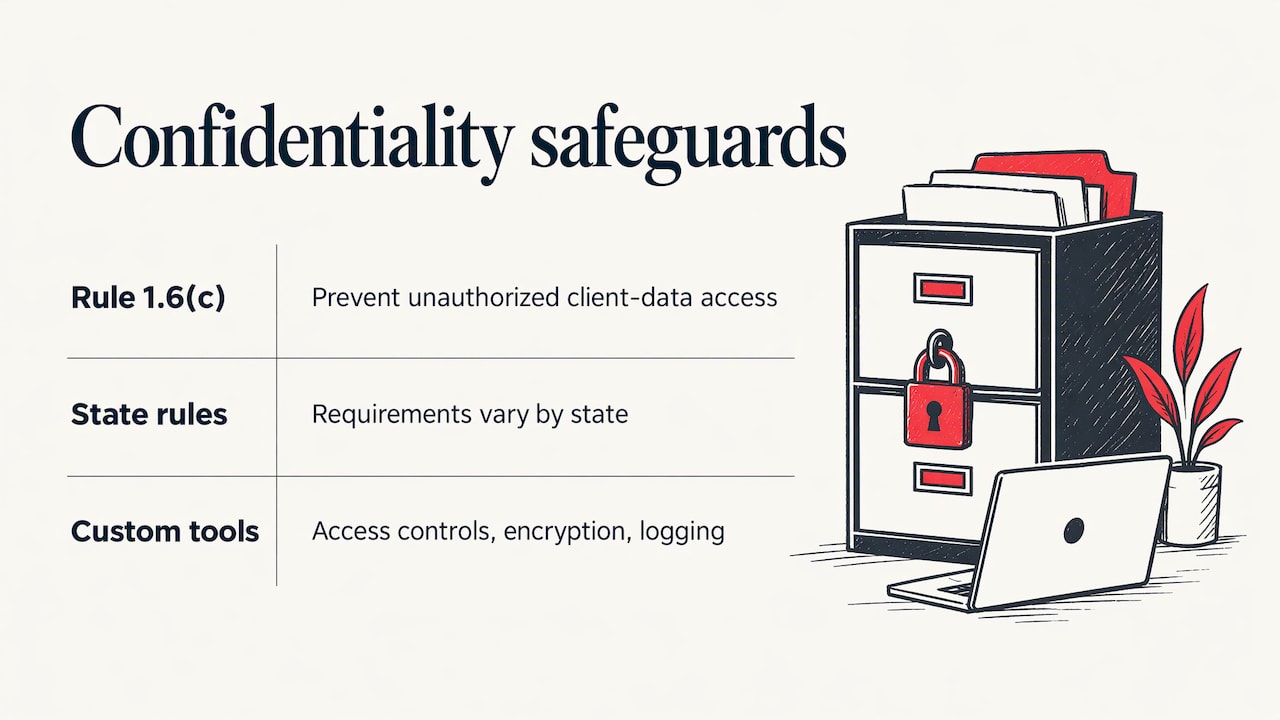
If you run a law firm, the stakes are specific. ABA Model Rule 1.6© requires lawyers to make reasonable efforts to prevent unauthorized disclosure of, or access to, information relating to a client’s representation, and state bar guidance such as this Michigan State Bar opinion on safeguarding client data discusses what that means in practice. Check your own state bar’s rules, since they vary. A custom matter-intake form, document portal or case dashboard should be built with access controls, encryption and logging that you can explain to a client.
Plan for failure before it happens
Every application needs a tested backup, a way to restore it and a plan for outages. That means decisions about backup and disaster recovery, internet failover and continuity planning are made while the software is being designed, not after the first incident. A portal that your clients rely on is only as dependable as the network, power and internet connection beneath it.
Why the same team should look after the software and the systems under it
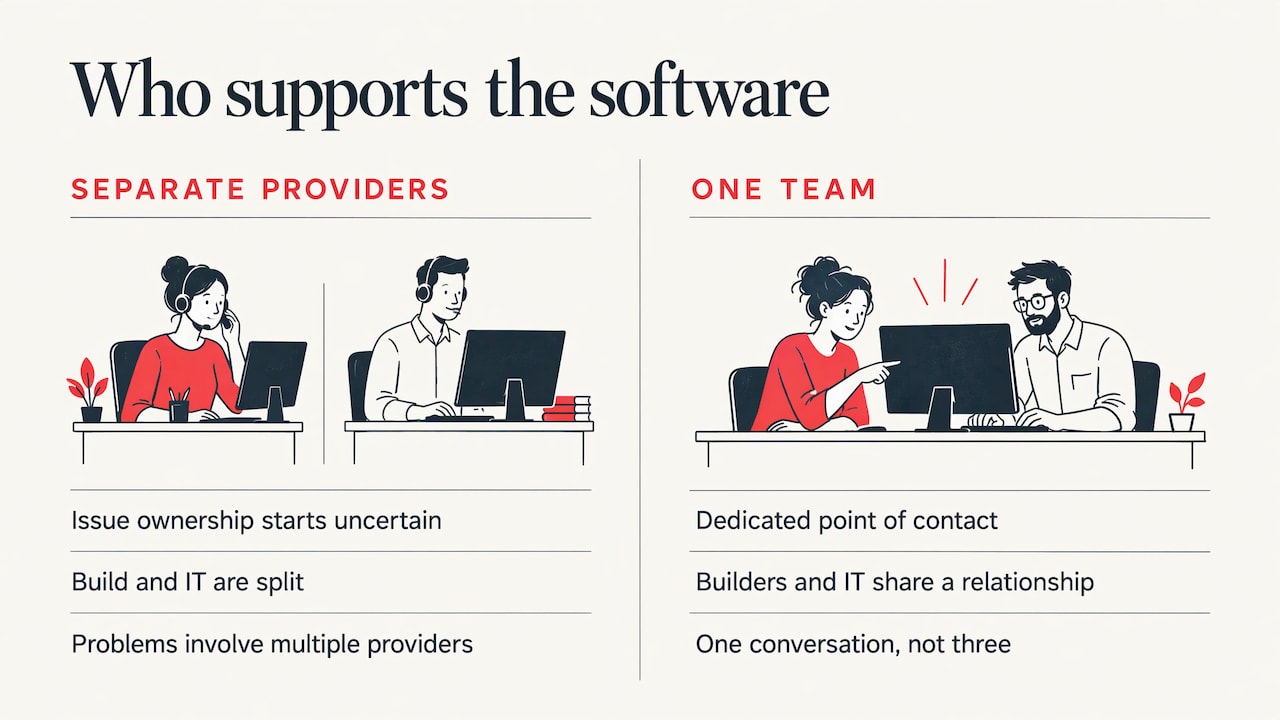
Most small businesses meet custom software as a project and then discover it is also an operations question. The application depends on your identity and email setup, your network, your cloud environment, your backups and your security tools. When these are handled by different providers, every problem starts with a question of whose it is.
That is the reason we pair development with managed IT. You work with a dedicated point of contact, and the people who build your tool are part of the same relationship as the people who keep your systems secure and running. For a small team without an in-house IT department, that means one conversation instead of three, and an application that is designed for the environment it will actually run in, from cloud services such as Microsoft 365, virtual desktops and servers to network infrastructure.
It also supports the long view. A custom tool is an asset only while it is maintained. Proactive IT support, where problems are prevented before they interrupt work, is the same discipline that keeps a custom application healthy year after year.
Local AI is one of the newer custom builds
Some of the most requested projects now involve AI assistants that work with company documents, such as an internal tool that answers staff questions from your own policies and files. For firms with confidential material, where that tool runs matters as much as what it does. We offer local AI integration as part of our IT infrastructure solutions, which is relevant when you want the benefit of AI on your own data with decisions about where that data lives made deliberately.
How to decide your first step
Use this short sequence before you talk to any developer:
- Write down the one workflow that costs you the most time or causes the most errors. Count the hours per week and the people involved.
- List the tools it touches. Note where data is retyped or exported.
- Ask whether the problem is a missing connection or a missing capability. Connections can often be solved by integrating existing systems. Missing capabilities call for a build.
- Define a first version that fits in a few lines. If you cannot describe it briefly, it is too big to start with.
- Decide who will own it after launch, including security updates, backups and user support.
Bring that page to the first meeting. It will shape a faster, more accurate scope than any feature wish list.
Build it with the team that already knows your environment
If you are weighing a custom tool for your office in Glendale or the Greater Los Angeles area, we can scope it with you and run the systems it depends on. Our development services cover applications built around your processes, and our managed IT plans, Essentials, Business and Secure, cover the support, security and continuity around them. Our clients return at a 92% rate, which reflects the long-term relationships we build around each business’s needs.
Tell us about the workflow that slows your team down, and we will help you work out what to build, what to connect and what to leave alone. Start at techbleed.com.
Our perspective
Small businesses usually come to us after a long search for the perfect package. They have tried three tools, and the team still keeps a spreadsheet on the side. That spreadsheet is the real requirements document.
We think custom software works best when it is modest. Keep the platforms that already do their job, then build the piece that is specific to how you win, price and deliver your work. When that piece sits on a secure, backed-up, well-managed environment, it keeps paying off instead of becoming a liability.
That is why we do not treat development and IT as separate worlds. Your application needs a network that stays up, cloud services configured properly, security that protects client data and a plan for the day something fails. Our approach is proactive, hands-on and built around a dedicated point of contact, so the person who understands your business is the same person who hears about the problem first.
If you are a law firm, a growing company or an office that has outgrown its tools, start with one workflow. Get it right, then build on it.
John
FAQ
What is the difference between custom and bespoke software?
In everyday business use, they mean the same thing: software written for one organization’s specific needs. Some people use “bespoke” for fully handcrafted systems and “custom” for a mix of a standard product plus a tailored layer. Either way, the point is that it is built around your process instead of requiring your process to bend to it.
Is custom software only for large companies?
No. Small businesses often benefit most from small, focused tools: a quoting form, a client portal, a scheduling app or a dashboard. These can be built in stages, starting with the workflow that costs the most time, so you do not need an enterprise budget or a large internal team.
How long does a custom software project take?
It depends on scope. A focused first release is faster than a full platform, and discovery and testing take time in either case. The best way to keep timelines realistic is to define a small first version, release it, and add features once your team is using it. We can give you a realistic estimate after reviewing your workflow.
What happens after the software launches?
The work continues. Software needs security updates, monitoring, backups and occasional improvements as your business changes. Settle support ownership before the project starts. With us, the application sits alongside your managed IT relationship, so there is one point of contact for both.
Can custom software connect to Microsoft 365 or Google Workspace?
Yes, custom tools are commonly designed to work alongside the platforms you already use, sharing data with email, documents, calendars and accounting systems instead of replacing them. Which connections are practical depends on the systems involved, and we review them during scoping.
Sources
- NIST Special Publication 800-218, Secure Software Development Framework
- Michigan State Bar, Safeguarding Client Data: Attorneys’ Legal and Ethical Duties
Recommended
- Application Development Services in Glendale, CA
- Copilot vs ChatGPT for Small Business: 2026 Guide
- Signs Your Small Business Needs Managed IT Services
- Why Cybersecurity Matters for Small Businesses